
Archive
Open in NocthinkModule: Tasks · URL: /tasks/archive · Responsible role: Staff (every member, own tasks) · Also used by: all roles. Owner/Director and roles with full Tasks scope see every archived or cancelled task in the organization.
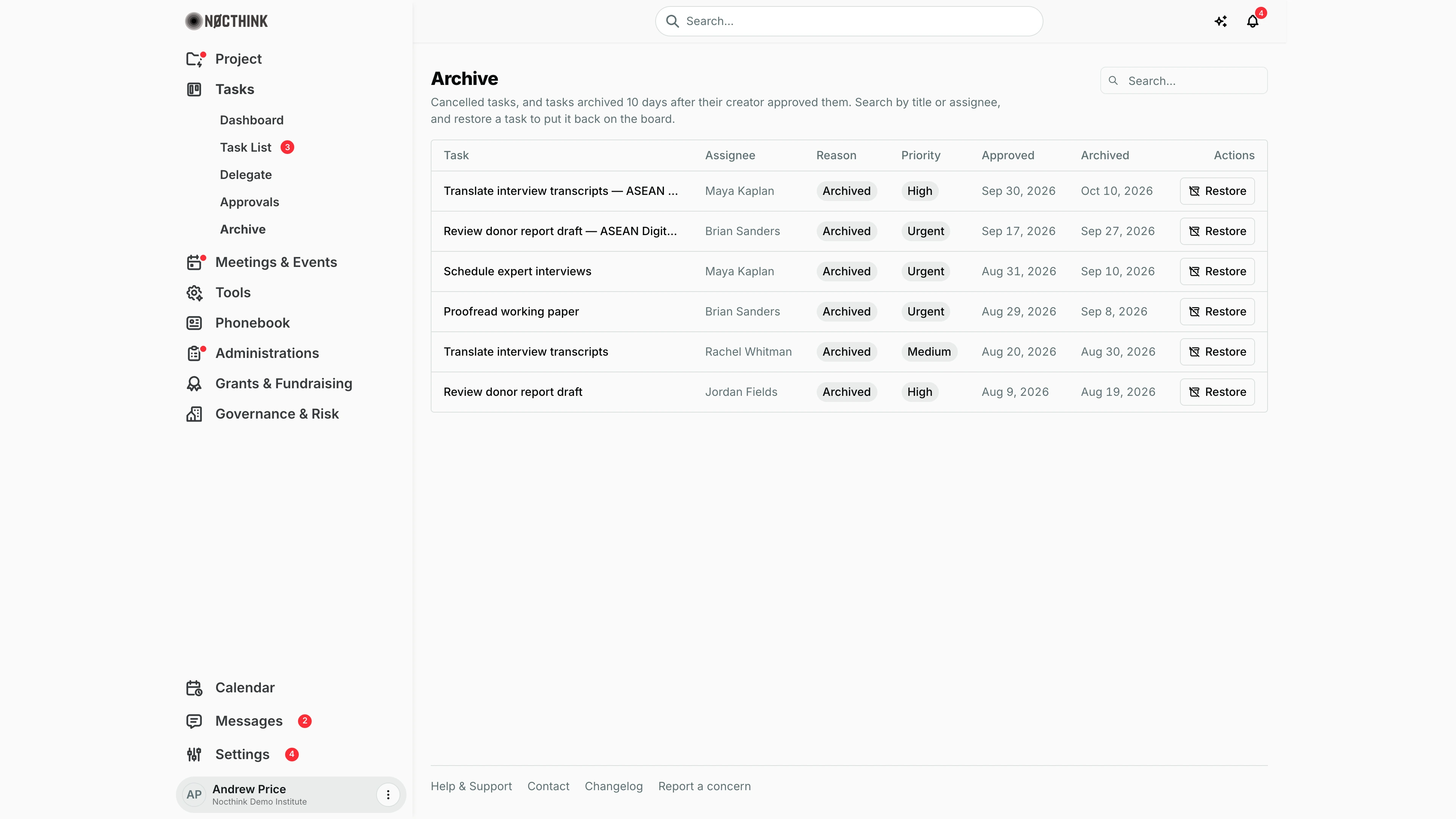
Screenshot: Andrew Price (Senior Researcher), Nocthink Demo Institute demo data.
Why I use this page
The Archive keeps finished and abandoned tasks out of my working lists while keeping them retrievable. I come here when I need to look up something I closed a while ago (who did it, when it was approved), or when a cancelled or archived task turns out to be needed again and I want to put it back on the board. It is an occasional page, typically at month end or when someone asks about old work.
What's on the screen
- Header — Archive, with "Cancelled tasks, and tasks archived 10 days after their creator approved them. Search by title or assignee, and restore a task to put it back on the board." A Search… box sits on the right.
- Table (once there are entries), newest archived first:
- Task — the title, linked to the task page;
- Assignee ("Unassigned" if none);
- Reason — Archived or Cancelled;
- Priority;
- Approved — the approval date, if any;
- Archived — the archive date;
- Actions — a Restore button.
- With nothing to show: "No archived or cancelled tasks." If loading fails: "Failed to load archived tasks. Please try again."
How I …
Find an old task
- Open Tasks → Archive.
- Type part of the title or the assignee's name in Search….
- Click the title to open the task with its messages, attachments and activity history.
Restore a task to the board
- Find the task and click Restore.
- What happens depends on the Reason:
- Archived and previously approved: it returns as Done.
- Archived and never approved: it returns as To do.
- Cancelled: its status is set to To do.
- The task leaves the Archive and appears again in the Task List and on the relevant boards.
Archive a task by hand
- Open the task (from the Task List or a board) and choose ⋯ → Archive.
- It moves here immediately with Reason Archived.
- To cancel instead, edit the task and set Status to Cancelled. It then appears here with Reason Cancelled.
Access & permissions
The section needs tasks.view. The list uses the normal task visibility rules, not just "mine": I see archived and cancelled tasks that I created, that are assigned to me, or that belong to a project I lead or am a team member of. Owner/Director (full Tasks scope) see all of them. Restore needs me to be the creator, the assignee or a project team member (or to have full scope). Restoring a cancelled task uses the normal edit right (tasks.update).
Caveats
- Auto-archiving is lazy: a task approved more than 10 days ago is archived the next time anyone loads a task list, not exactly on day 10.
- Tasks in a project that is On Hold, Completed or Archived cannot be restored until the project is reopened.
- Restoring a cancelled task always sets it to To do, whatever status it had before it was cancelled.
- Each list (archived, cancelled) loads at most its newest 100 entries.
- Dates are shown in my browser's local date.
Limitations
- No permanent delete from the archive.
- No filter by reason, project or date (search covers only title and assignee).
- No bulk restore, and no export.
Related menus
- Task List — where restored tasks reappear, and where tasks are archived from.
- Dashboard — counts exclude archived tasks.
- Delegate — active tasks assigned to me.
- Project Archive — finished projects, a separate archive.