
Internal Guide
Open in NocthinkModule: Administrations · URL: /administrations/internal-guide · Responsible role: General Affairs / Admin (general-affairs) · Also used by: Owner/Director (full); every staff member (read)
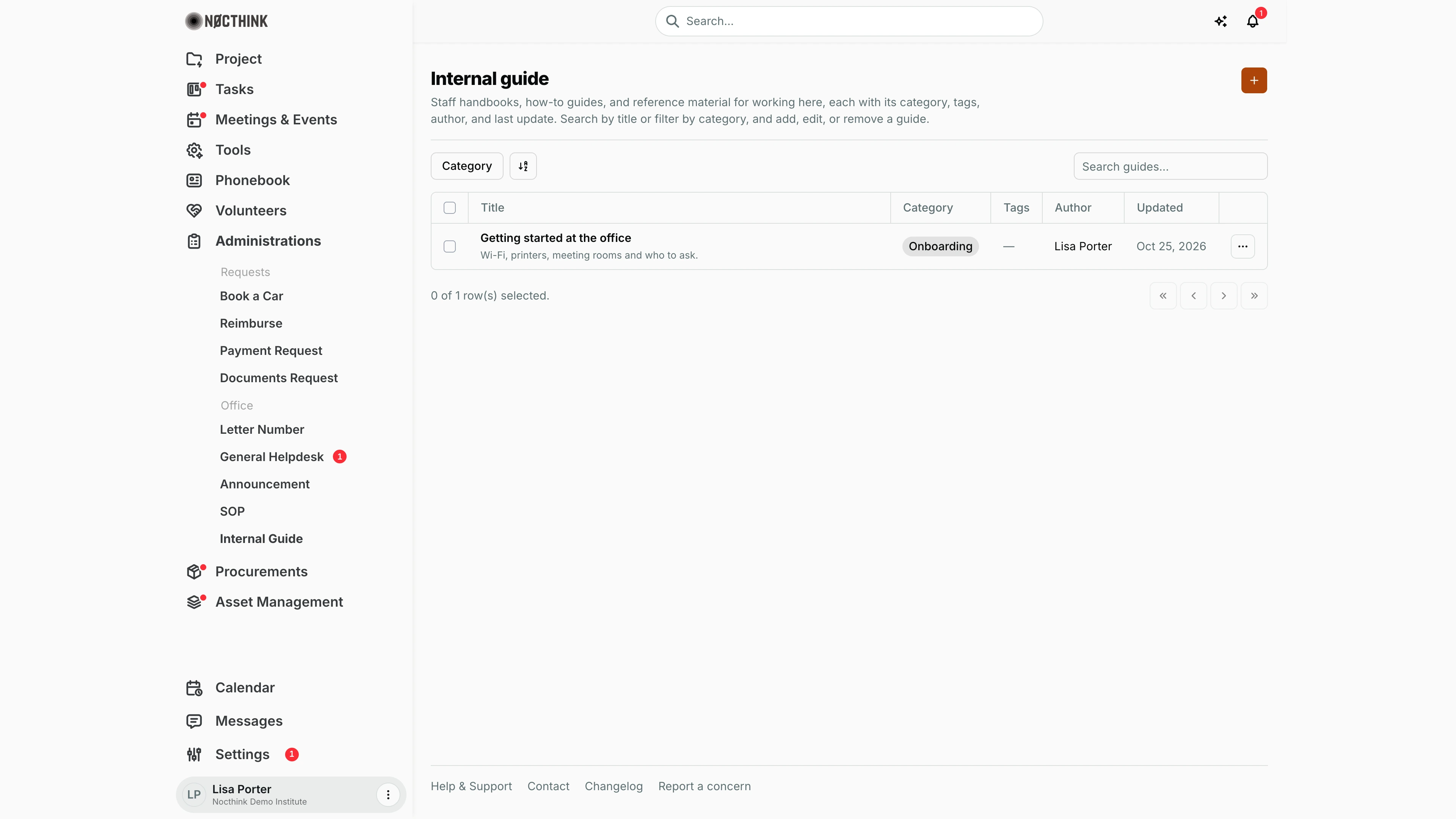
Screenshot: Lisa Porter (Operations Officer), Nocthink Demo Institute demo data.
Why I use this page
This is our shelf of practical, informal reference material: the staff handbook, "getting started at the office", how to book a meeting room, who to ask about Wi-Fi or printers. Unlike SOPs these are not versioned or approved — they are quick answers I keep up to date so colleagues help themselves instead of opening a helpdesk request. I add a guide whenever the same question reaches me twice, and I review them when a new staff member joins.
What's on the screen
- Header — Internal guide with a short description, and the orange + button (New internal guide).
- Toolbar — the Category filter, a sort control, and Search guides… (searches the title).
- Table columns
- Title — the guide title in bold, with the start of its content underneath.
- Category — pill (Onboarding, Policy, IT, Finance, Facilities, Compliance, Research, Admin).
- Tags — comma-separated tags, or —.
- Author — who created the guide.
- Updated — date of the last change.
- ⋯ — Edit and Delete.
- Footer — row-selection count and paging. Guides are sorted by title.
How I …
Add a guide
- Click +. The New internal guide dialog opens ("Add an internal guide, manual, or reference material."); see New internal guide below.
- Enter Title (required), e.g. "Employee Handbook 2026".
- Choose Category (required) from the eight fixed categories.
- Write the Content (required) — plain text; keep it short and practical.
- Add Tags, comma separated (e.g.
hr, policy, leave). - Click Add guide. It appears in the list for every staff member.
Update a guide
- Click ⋯ → Edit on the row.
- Change Title, Category, Content or Tags in Edit internal guide.
- Click Save changes. Updated shows today's date.
Remove an outdated guide
- Click ⋯ → Delete.
- Confirm "Delete guide "title"?". The guide is removed permanently.
Help a colleague find something
- Type a word from the title in Search guides…, or filter by Category (e.g. Onboarding for new joiners).
- Read the content preview in the row; for a long guide, open Edit to see the full text (there is no separate reading page — see Limitations).
Detail page, forms & dialogs
New internal guide
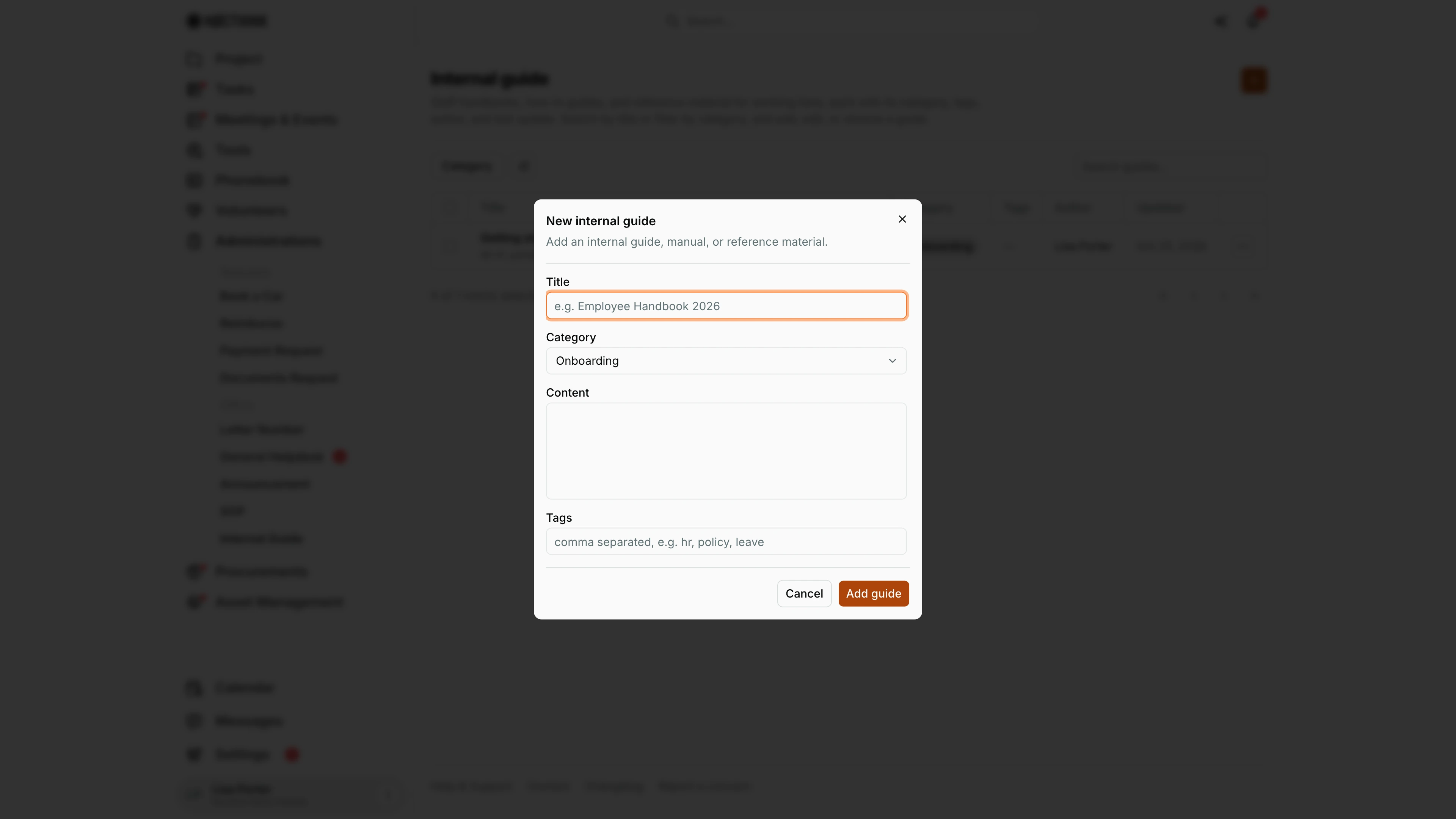
Screenshot: Lisa Porter (Operations Officer), Nocthink Demo Institute demo data.
+ opens New internal guide ("Add an internal guide, manual, or reference material."). Title, Category and Content are required. Category is one of eight fixed values: Onboarding, Policy, IT, Finance, Facilities, Compliance, Research and Admin. Content is plain text. Tags are comma separated and help search. Add guide publishes it to every staff member. The guide shows in the list with its category, a preview of the content and the Updated date, and anyone can find it by title with Search guides… or the Category filter. Cancel discards it.
Edit internal guide
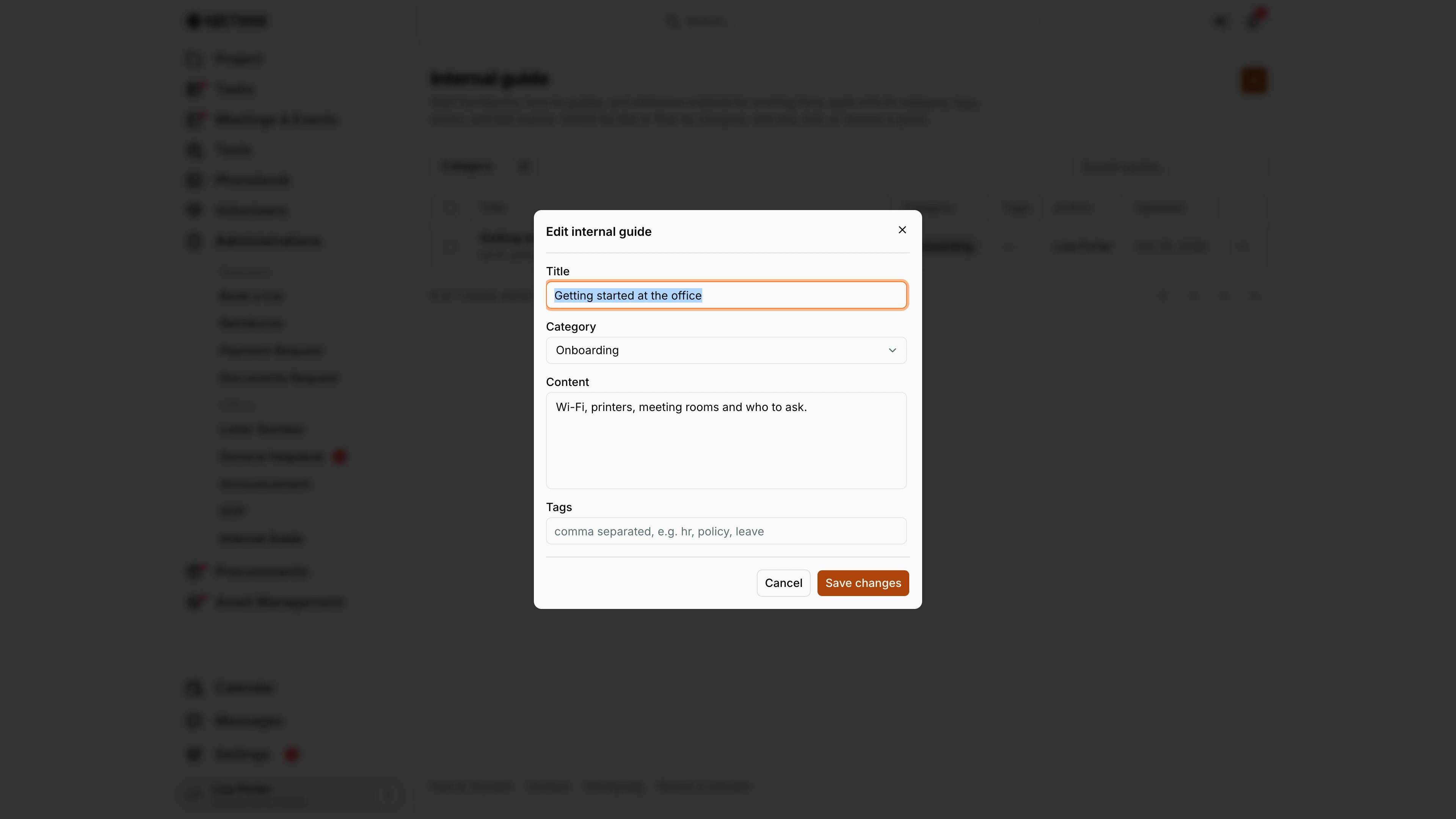
Screenshot: Lisa Porter (Operations Officer), Nocthink Demo Institute demo data.
⋯ → Edit opens Edit internal guide with the same four fields, filled in. Because guides have no reading page, this dialog is also where the full text of a long guide is visible. Save changes updates the guide and its Updated date. Keep guides current rather than adding a second version: staff search by title, and two guides with the same name confuse them. To retire a guide, use ⋯ → Delete; the deletion is permanent. Cancel closes without saving.
Access & permissions
- Every staff member can open the menu and sees all guides in the organization (no per-guide restriction).
- Creating and editing need
administrations.update, deletingadministrations.deleteon the server. General Affairs and Owner/Director have them; ordinary staff are read-only. - The + button and the row menu show only with
administrations.update; Delete in the menu only withadministrations.delete.
Caveats
- Delete is permanent — there is no archive or undo.
- Content is plain text: line breaks are kept in the field, but there is no formatting, links are not clickable, and the table preview is cut to one line.
- Tags are split on commas and trimmed; spaces inside a tag are kept.
- Anyone with write access can edit any guide, not just their own; Author stays the original creator.
Limitations
- No detail/reading page: guides are read from the table row or the edit dialog.
- No file attachments in the UI, although the API stores an attachments list.
- No restricted visibility (unlike SOPs) — everything here is visible to all staff.
- Categories are a fixed list in the code; they cannot be added in Settings.
- No version history, no export, and search covers titles only.
Related menus
- SOP — formal, versioned and approved procedures; link to them from a guide instead of copying the rules.
- General Helpdesk — where questions arrive when no guide answers them.
- Announcement — tell staff when an important guide is added.
- Knowledge — IT knowledge base kept by the Asset Officer.
- Dashboard — Administrations overview.