
Tickets
Open in NocthinkModule: Asset Management · URL: /asset-management/tickets · Responsible role: IT / Asset Officer (processes tickets) · Also used by: Owner/Director (full), General Affairs (write), all other staff (self — report their own problems)
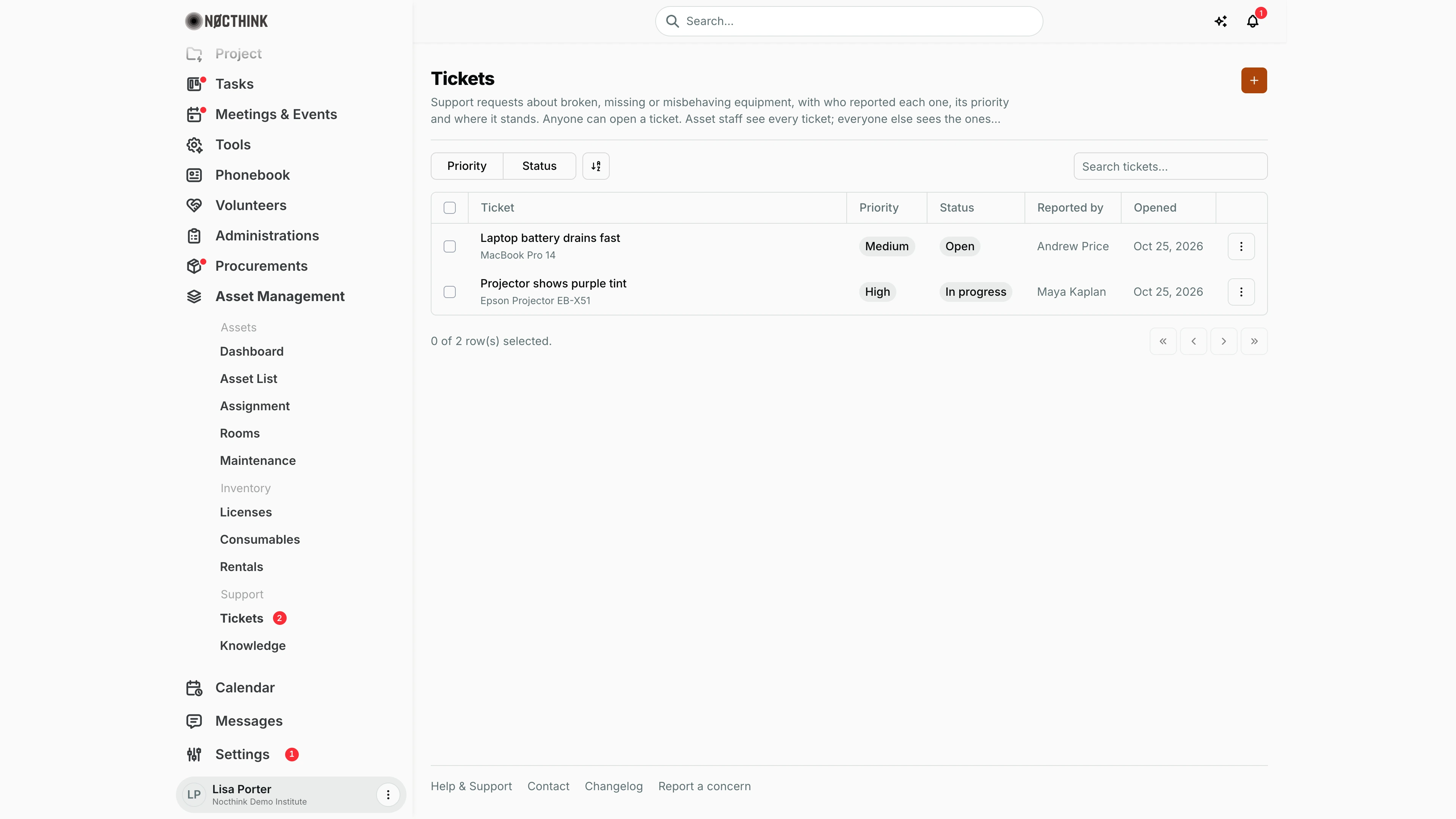
Screenshot: Lisa Porter (Operations Officer), Nocthink Demo Institute demo data.
Why I use this page
This is my queue of equipment problems: a laptop battery that drains, a projector with a purple tint, a missing cable. Staff open a ticket, and I triage it by priority, work it, and close it. I keep this page open most days, and I watch the number next to Tickets in the sidebar for new arrivals. When a ticket needs a vendor, I log the work on Maintenance as well.
What's on the screen
- Header: title Tickets, a short description (asset staff see every ticket; everyone else sees the ones they reported or are assigned — see Access & permissions), and the + button ("Open ticket").
- Toolbar: filter buttons Priority (Low, Medium, High, Critical) and Status (Open, In progress, Resolved, Closed), plus Search tickets… (by title).
- Table columns:
- Ticket — title, with the affected asset's name underneath when one is linked.
- Priority — neutral pill; only Critical is red.
- Status.
- Reported by — the person who opened it.
- Opened — the date it was created (e.g. "Oct 25, 2026").
- ⋮ row menu — Edit, Delete.
- Newest tickets are listed first.
How I …
How I open a ticket (anyone)
- Click +. The Open Ticket dialog appears (see Open ticket below).
- Pick the Asset it is about, or leave No specific asset.
- Enter a Title * that says what is wrong (e.g. "Laptop battery drains fast").
- Choose Priority (defaults to Medium; use Critical only when work is blocked).
- Describe the problem in Description and add any Notes.
- Click Open Ticket. It starts as Open, and I am recorded as Reported by automatically.
How I triage new tickets
- Click Status and tick Open, then use Priority to work Critical and High tickets first.
- For each ticket, open ⋮ → Edit (see Edit ticket below), correct the Priority if needed, set Status to In Progress, and add what I am doing to Notes.
- Click Save Changes.
How I resolve and close a ticket
- When the fix is done, ⋮ → Edit, set Status to Resolved, and record the fix in Notes. Save.
- After the reporter confirms, set Status to Closed.
- If the problem needs a repair job, create it on Maintenance against the same asset, and if the asset is out of use, set its status to Maintenance on the Asset List.
How I see all problems with one asset
- Open the asset from the Asset List and go to its Tickets tab.
Detail page, forms & dialogs
Open ticket
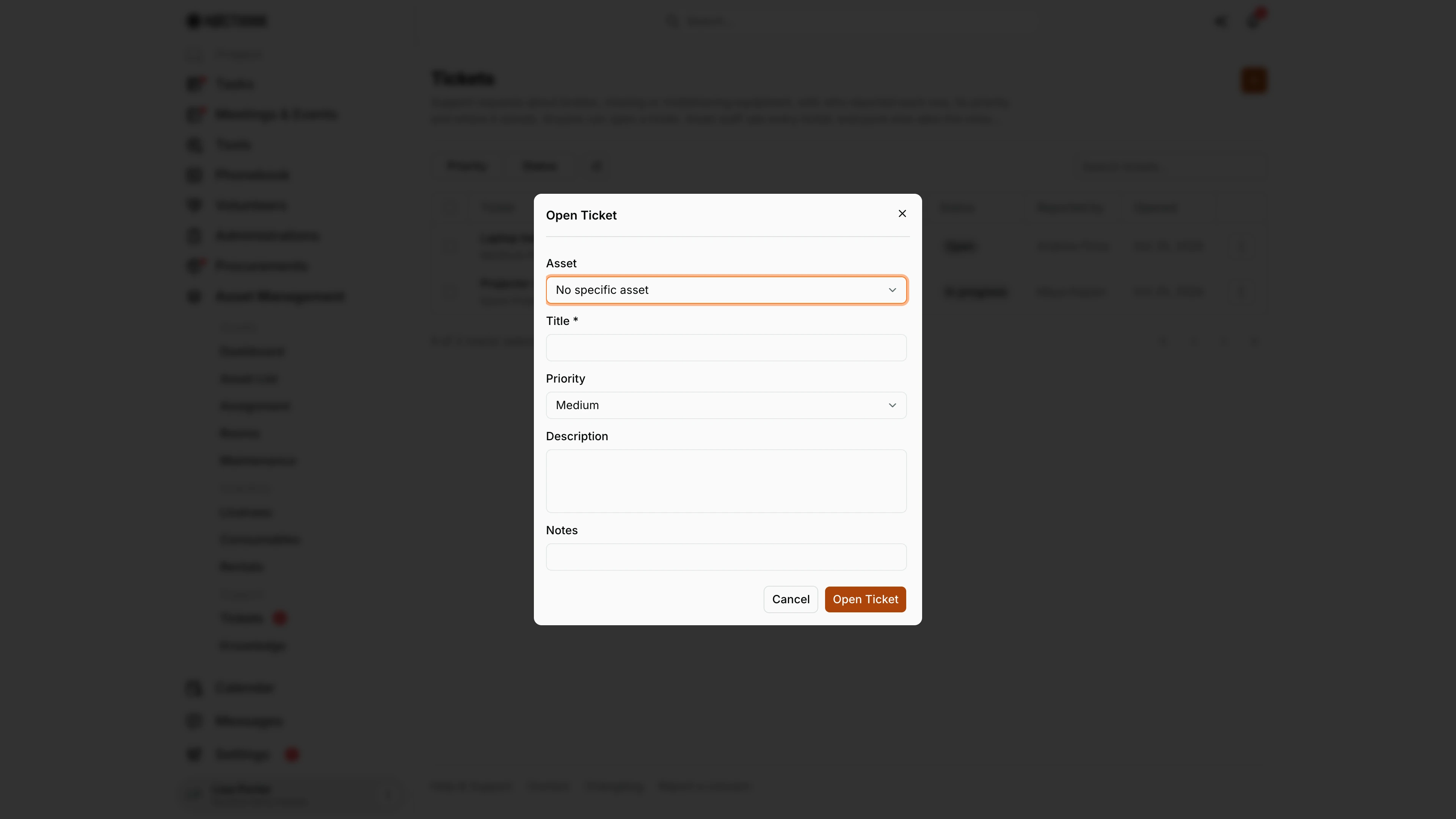
Screenshot: Lisa Porter (Operations Officer), Nocthink Demo Institute demo data.
+ opens Open Ticket. Asset defaults to No specific asset; the list shows each asset with its tag. Title * is required; Priority defaults to Medium. Description and Notes hold the details. There is no status field: a new ticket is always Open, with me as the reporter. Open Ticket saves it.
Any staff member can open a ticket, even without other asset menus, and sees only the tickets they reported or are assigned to. The Asset Officer and anyone with asset_management.view see every ticket and pick it up from the list.
Edit ticket
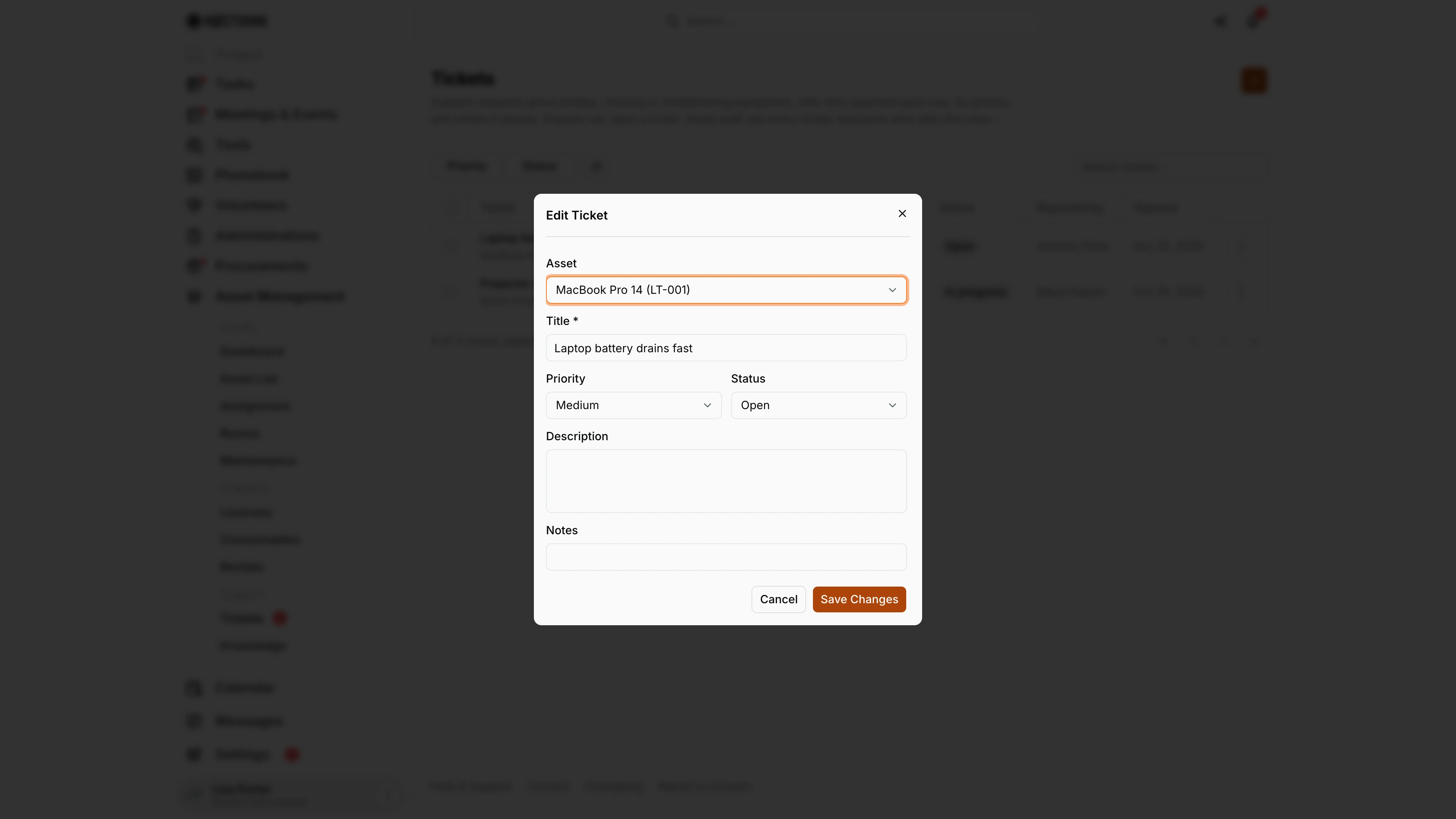
Screenshot: Lisa Porter (Operations Officer), Nocthink Demo Institute demo data.
⋮ → Edit opens Edit Ticket, which adds Status (Open, In Progress, Resolved, Closed) next to Priority. This is where I triage, record progress in Notes, and resolve and close the ticket. Save Changes stores it.
Only asset staff see the row menu: editing needs asset_management.update. Resolved means the fix is done; I move it to Closed after the reporter confirms. A problem that needs a repair job goes to Maintenance as well, against the same asset.
Access & permissions
/asset-management/ticketsis a personal-access route (lib/domain-routes.ts), so every staff member can open the page even without other asset menus. docs/role.md gives staff "S" (own tickets) and the Asset Officer full control.- Any member can open a ticket and sees only the tickets they reported or are assigned to. People with
asset_management.view(and finance authority) see every ticket in the organization. - Editing or deleting needs
asset_management.update/delete; without them the row menu is hidden. A new ticket always starts Open and unassigned unless asset staff open it. - Finance authority is treated as having asset write access by the server.
Caveats
- Reported by is fixed to whoever created the ticket and cannot be changed.
- Setting Resolved does not stamp a resolved date, and nothing notifies the reporter when the status changes — tell them directly.
- Delete asks "Delete this ticket?" and is permanent; prefer Closed.
- If the linked asset is deleted, the ticket stays but loses its asset link.
Limitations
- No assignee field in the form (the API has one, the UI does not show it), so there is no "assigned to me" view.
- No comments thread, attachments, or SLA timers.
- No notifications to the Asset Officer when a ticket is opened, or to the reporter when it changes.
- The general (non-equipment) helpdesk is a separate page.
- No export.
Related menus
- Knowledge — self-help articles to point reporters to.
- Maintenance — repair jobs that come out of tickets.
- Asset List — each asset's Tickets tab.
- General Helpdesk — non-equipment requests.