
Billing
Open in NocthinkModule: Settings · URL: /settings/billing · Responsible role: Owner (organization admin) · Also used by: nobody else — Directors and staff cannot open it
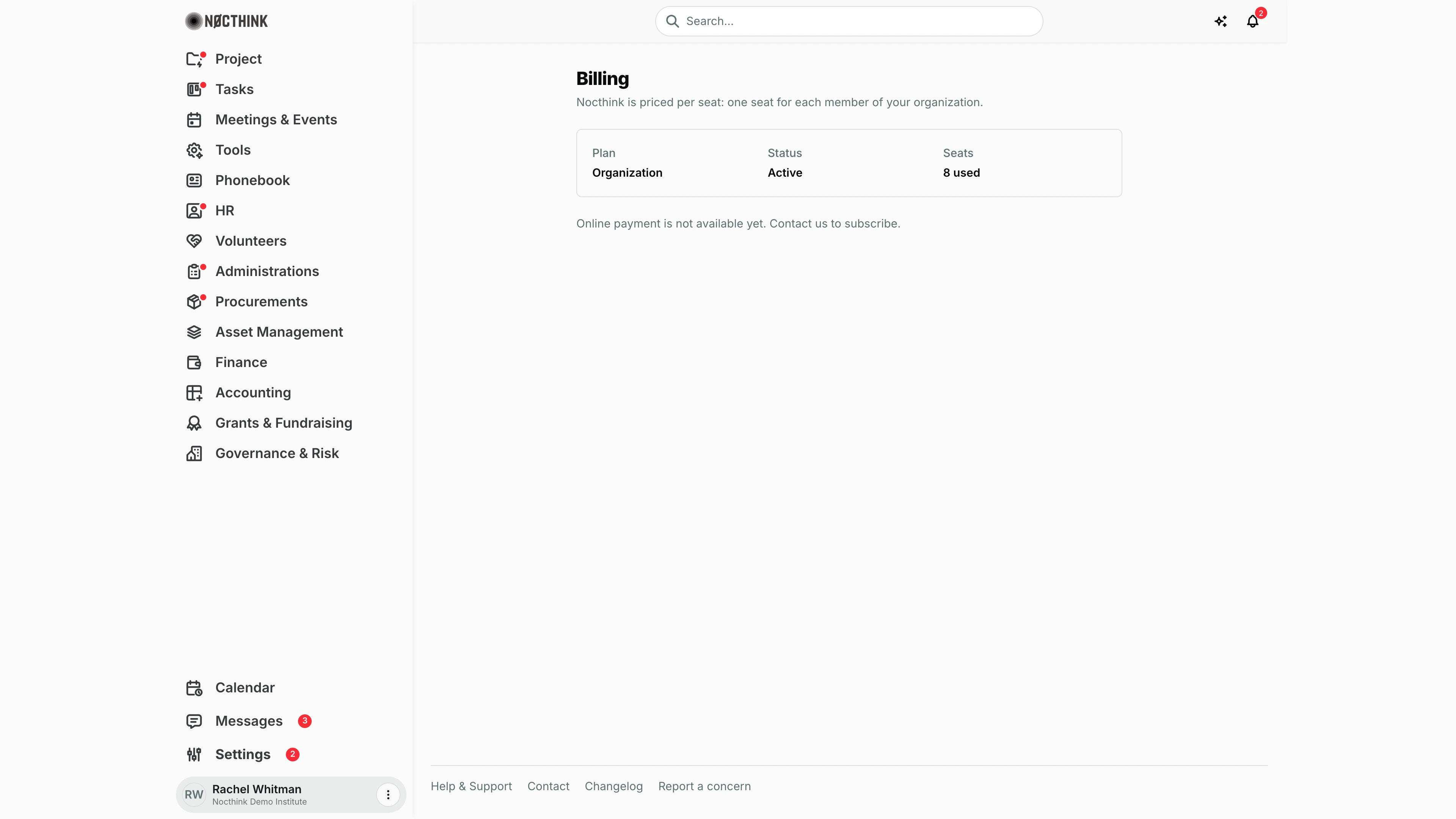
Screenshot: Rachel Whitman (Executive Director, organization owner), Nocthink Demo Institute demo data. The demo environment has no payment provider configured, so the subscribe controls are replaced by "Online payment is not available yet. Contact us to subscribe."
Why I use this page
Nocthink is billed per seat — one seat for each member of our organization. I come here to start the subscription when our trial ends, to add seats before onboarding new staff, and to reach the payment portal for card changes, invoices or cancellation. In a normal month I only open it when headcount changes or an invoice needs downloading for Finance.
What's on the screen
- Header — Billing with "Nocthink is priced per seat: one seat for each member of your organization."
- Summary card — Plan (e.g. Organization), Status, Seats ("8 used", or "N used of M" when a seat limit applies).
- Below the card, one of three states:
- Not configured (as in the screenshot) — "Online payment is not available yet. Contact us to subscribe."
- Not yet subscribed — Subscribe with a Seats field ("At least N, the members you have now.") and Continue to payment; note "Payment is handled by Polar. You can change the number of seats or cancel at any time."
- Subscribed — "Renews on <date>." (or "Cancelled — the workspace stays open until <date>."), Change seats with Seats and Update seats, and Payment method, invoices and cancellation with Manage billing.
With no Polar subscription on file, Status shows the organization's own status: Active, Trial until <date>, Trial ended, Suspended or Cancelled.
For a subscription, status values include Active, Trial until <date>, Trial ended, Payment failed — update your payment method, Cancelled, Unpaid, Waiting for payment, Payment not completed, Paused.
How I …
Subscribe when the trial ends
- Check Status — it shows Trial until <date> or Trial ended.
- Under Subscribe, set Seats (at least the number of current members).
- Click Continue to payment. I am taken to Polar's checkout.
- After paying, Polar sends me back here. The page shows "Confirming your payment…" and then "Payment received. Activating your subscription…" until the plan flips to active.
Add seats for new staff
- Under Change seats, raise Seats.
- Click Update seats. "Seats updated. The difference is prorated on your next invoice."
- Then invite the new people in Users.
Reduce seats after people leave
- First remove or deactivate the leavers in Users so Seats used drops.
- Lower Seats (not below the current member count) and click Update seats.
Update the card, download invoices, or cancel
- Under Payment method, invoices and cancellation, click Manage billing.
- Polar's customer portal opens; change the payment method, download invoices for Finance, or cancel.
- After cancelling, this page reads "Cancelled — the workspace stays open until <date>."
Access & permissions
- The route requires organization-admin status (
*): only the Owner sees Billing in Settings and can open the URL. Directors, who otherwise see everything, do not. - Payment details are held by Polar, never in Nocthink.
Caveats
- Seats cannot be set below the number of current members (and not above 10,000); the button stays disabled until the value is valid and different from the current number.
- Seat changes are prorated on the next invoice — adding seats mid-period costs money right away.
- Payment failed — update your payment method means the card was declined; fix it via Manage billing before access is affected.
- When the trial ends without a subscription, or a subscription ends, the workspace closes for members until I subscribe.
- Dates on this page are shown in the browser's locale.
Limitations
- When the payment provider is not configured (as in the demo), nothing can be bought here; it has to go through Nocthink directly.
- Invoices, receipts and cancellation are only available in the Polar portal, not listed on this page.
- No choice of plan or billing interval; there is a single per-seat Organization plan.