
Tools
Open in NocthinkModule: Settings › Apps · URL: /settings/tools · Responsible role: Owner (organization admin) · Also used by: nobody else — the page and the save are organization-admin only
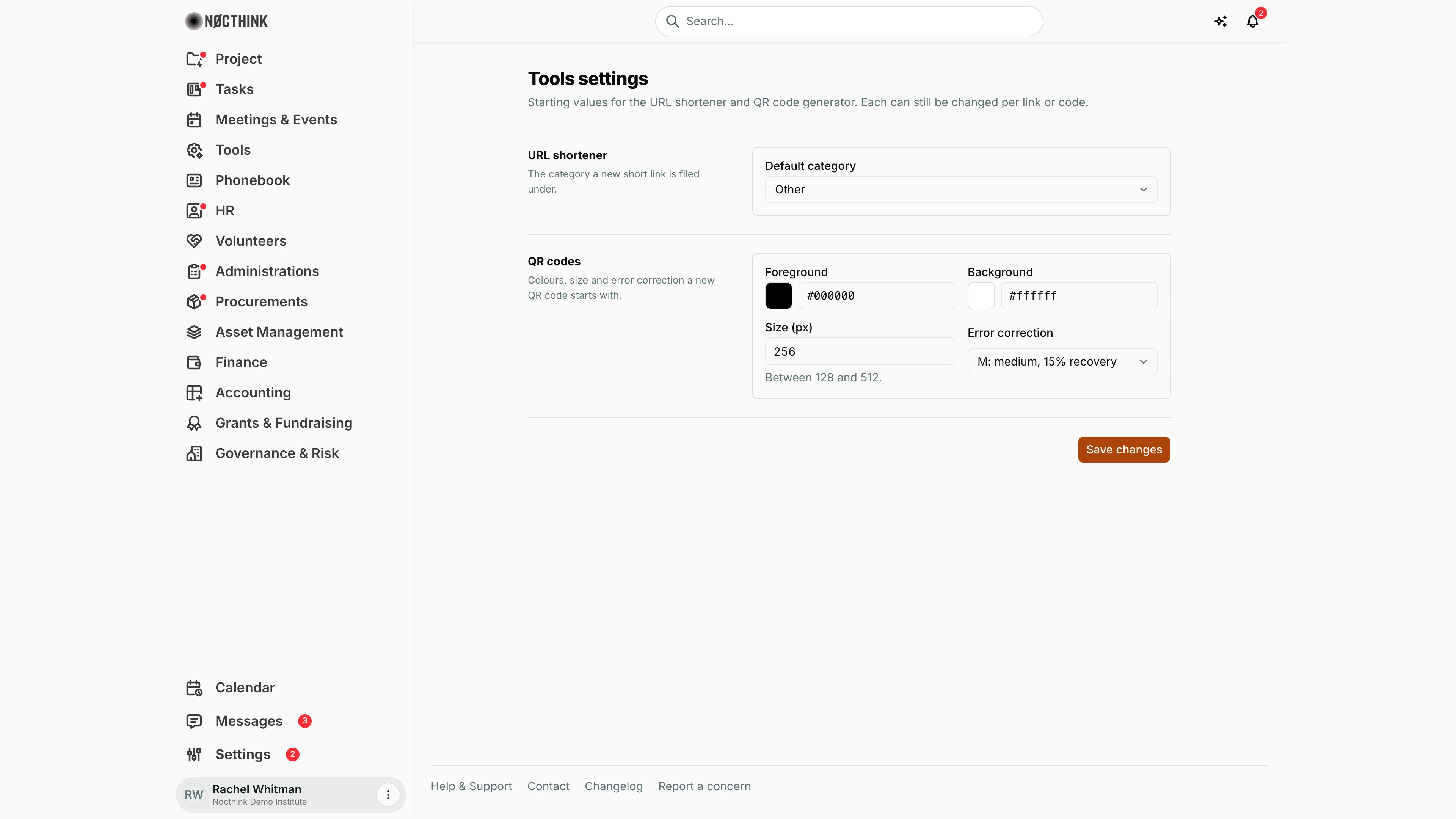
Screenshot: Rachel Whitman (Executive Director, org owner), Nocthink Demo Institute demo data.
Why I use this page
As Owner I use this page to set the starting values for the URL shortener and QR code generator that every staff member uses. I set it once to match our brand (for example our brand colour as the QR foreground) and revisit it if communications asks for a different default category for short links.
What's on the screen
- Header — Tools settings: "Starting values for the URL shortener and QR code generator. Each can still be changed per link or code."
- URL shortener row — Default category: Events, Publications, Documents, HR, Projects, Other.
- QR codes row — Foreground and Background colour (swatch picker plus hex field), Size (px) ("Between 128 and 512."), Error correction: L: low, 7% recovery, M: medium, 15% recovery, Q: quartile, 25% recovery, H: high, 30% recovery.
- Save changes button, with Saved or the server error.
How I …
Set our brand colours for QR codes
- Open Settings › Apps › Tools.
- Click the Foreground swatch and pick a colour, or type a hex value such as
#1a1a1a. - Do the same for Background (keep it light for good contrast).
- Set Size (px) and Error correction (higher levels survive more damage or smudging but make a denser code).
- Click Save changes.
- Open Tools › QR Code Generator to confirm a new code starts with these values.
Change the default short-link category
- Pick a Default category under URL shortener.
- Click Save changes. New short links in Tools › Shorten URL start in that category.
Access & permissions
- The route requires
*(organization admin) and the server saves only for organization admins. docs/role.md §4.5: Owner only. - Every member can read these values, because they pre-fill the shortener and QR forms.
Caveats
- Colours must be
#rrggbb; the field allows 7 characters and anything else is rejected on save ("Enter a colour as #rrggbb."). - Size (px) must be a whole number from 128 to 512; out-of-range values are rejected on save.
- Low-contrast colour pairs save fine but may not scan; test a code before rolling it out.
- Defaults only affect new links and codes; existing ones are unchanged.
Limitations
- No default logo, margin or file format for QR codes.
- No custom short-link categories or default domain/slug rules.
- No per-department defaults.
Related menus
- Shorten URL — uses the default category.
- QR Code Generator — uses the QR defaults.
- Link Clicks — click analytics for short links.
- Analytics — default reporting period for website analytics.