
Phonebook
Open in NocthinkModule: Settings › Apps · URL: /settings/phonebook · Responsible role: Owner (organization admin) · Also used by: Directors; nobody else can open or save it
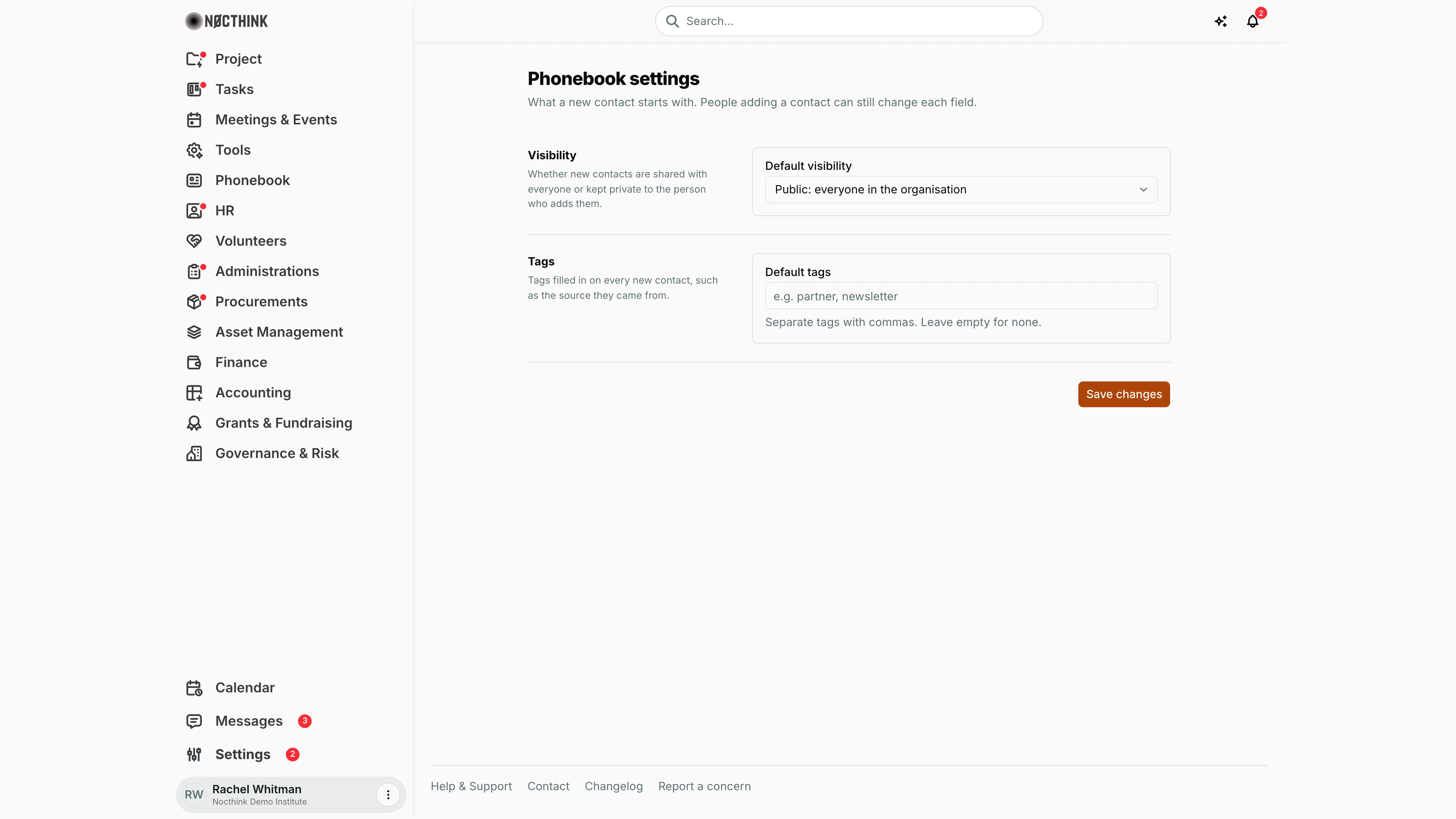
Screenshot: Rachel Whitman (Executive Director, org owner), Nocthink Demo Institute demo data.
Why I use this page
As Owner I use this page to decide whether contacts people add are shared with the whole organization or kept private by default, and which tags every new contact gets. I set it when we set up the workspace and revisit it when our data policy changes — for example, making contacts private by default after a privacy review, or pre-tagging contacts during a campaign.
What's on the screen
- Header — Phonebook settings: "What a new contact starts with. People adding a contact can still change each field."
- Visibility row — Default visibility drop-down: Public: everyone in the organisation or Private: only the person who adds it.
- Tags row — Default tags text field (placeholder "e.g. partner, newsletter") with the hint "Separate tags with commas. Leave empty for none."
- Save changes button, with a Saved tick on success or the server error on failure.
How I …
Make new contacts private by default
- Open Settings › Apps › Phonebook.
- Set Default visibility to Private: only the person who adds it.
- Click Save changes.
- Open Phonebook › Contacts › New contact to check the visibility field now starts as private.
Pre-fill tags on new contacts
- In Default tags, type tags separated by commas, e.g.
partner, newsletter. - Click Save changes.
- To stop pre-filling, clear the field and save again.
Access & permissions
- The route requires
phonebook.delete, which only the Owner and Directors hold, matching docs/role.md §4.5 (Settings › Apps › Phonebook is Owner-only). Roles with ordinary Phonebook write access (Project Manager, Event Officer, General Affairs, Procurement) cannot open it. - Every member can read these values (they are form defaults); saving is checked on the server against the same
phonebook.deletepermission.
Caveats
- Defaults apply only when a new contact form opens; existing contacts keep their visibility and tags.
- The person adding a contact can override both fields, so this is a starting point, not an enforced policy.
- Default tags is limited to 200 characters.
- Leaving the page without saving discards changes.
Limitations
- No setting for organizations, donors or other phonebook records — only new contacts.
- Cannot bulk-apply a visibility or tag change to existing contacts from here.
- No list of allowed tags; any text is accepted.
Related menus
- Contacts — the New contact form uses these defaults.
- Organizations — not affected by these settings.
- Phonebook Dashboard — overview of contacts.