
Administrations
Open in NocthinkModule: Settings › Apps · URL: /settings/administrations · Responsible role: General Affairs / Admin (general-affairs) · Also used by: Owner/Director (full); nobody else
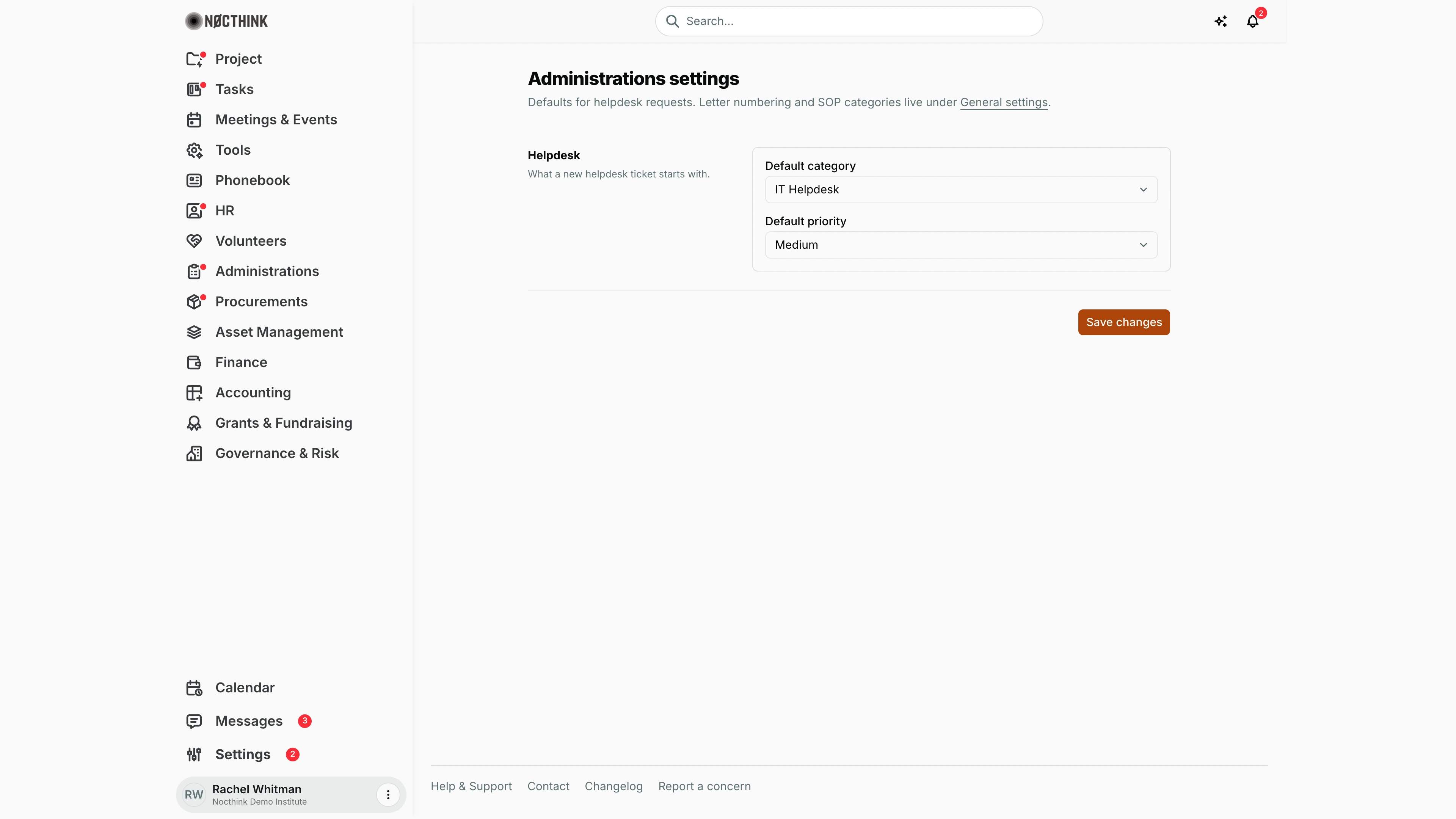
Screenshot: Rachel Whitman (Executive Director, org owner), Nocthink Demo Institute demo data. As General Affairs I see the same page.
Why I use this page
I use this page to set what a new helpdesk ticket starts with, so staff who open the General Helpdesk form land in the right queue with a sensible priority. I change it when the balance of requests shifts — for example, defaulting to General Helpdesk when most tickets are facilities rather than IT. Letter numbering and SOP categories are not here; they are under General settings.
What's on the screen
- Header — Administrations settings: "Defaults for helpdesk requests. Letter numbering and SOP categories live under General settings." (with a link to General settings).
- Helpdesk row — "What a new helpdesk ticket starts with.":
- Default category — IT Helpdesk or General Helpdesk;
- Default priority — Low, Medium, High, Urgent.
- Save changes button, with Saved or the server error.
How I …
Change the default helpdesk queue and priority
- Open Settings › Apps › Administrations.
- Choose Default category.
- Choose Default priority.
- Click Save changes.
- Open Administrations › General Helpdesk and start a new ticket to confirm the form starts with these values.
Find letter numbering and SOP categories
- Click the General settings link in the page description.
- Edit letter numbering and SOP categories there (owner-only page).
Access & permissions
- The route requires
administrations.approve— General Affairs and Owner/Director (docs/role.md §4.5). - Every member can read these values (they pre-fill the ticket form); only
administrations.approveholders can save.
Caveats
- Defaults only pre-fill a new ticket; the requester can change category and priority before submitting.
- Existing tickets are not changed.
- Leaving the page without clicking Save changes discards the change.
Limitations
- Only helpdesk defaults are configurable; there are no settings for car booking, reimbursement, payment requests or document requests.
- No custom helpdesk categories beyond the two listed.
- Letter numbering and SOP categories require the Owner, since General settings is owner-only.
Related menus
- General Helpdesk — the ticket form uses these defaults.
- General — letter numbering and SOP categories.
- Letter Number — uses the numbering format set in General.
- SOP — uses the SOP categories set in General.
- Tickets — IT tickets handled by the Asset Officer.