
Asset Management
Open in NocthinkModule: Settings › Apps · URL: /settings/asset-management · Responsible role: IT / Asset Officer (asset-officer) · Also used by: Owner/Director (full); F.A.T Manager per docs/role.md §4.5 (can open it only if their role holds asset_management.delete)
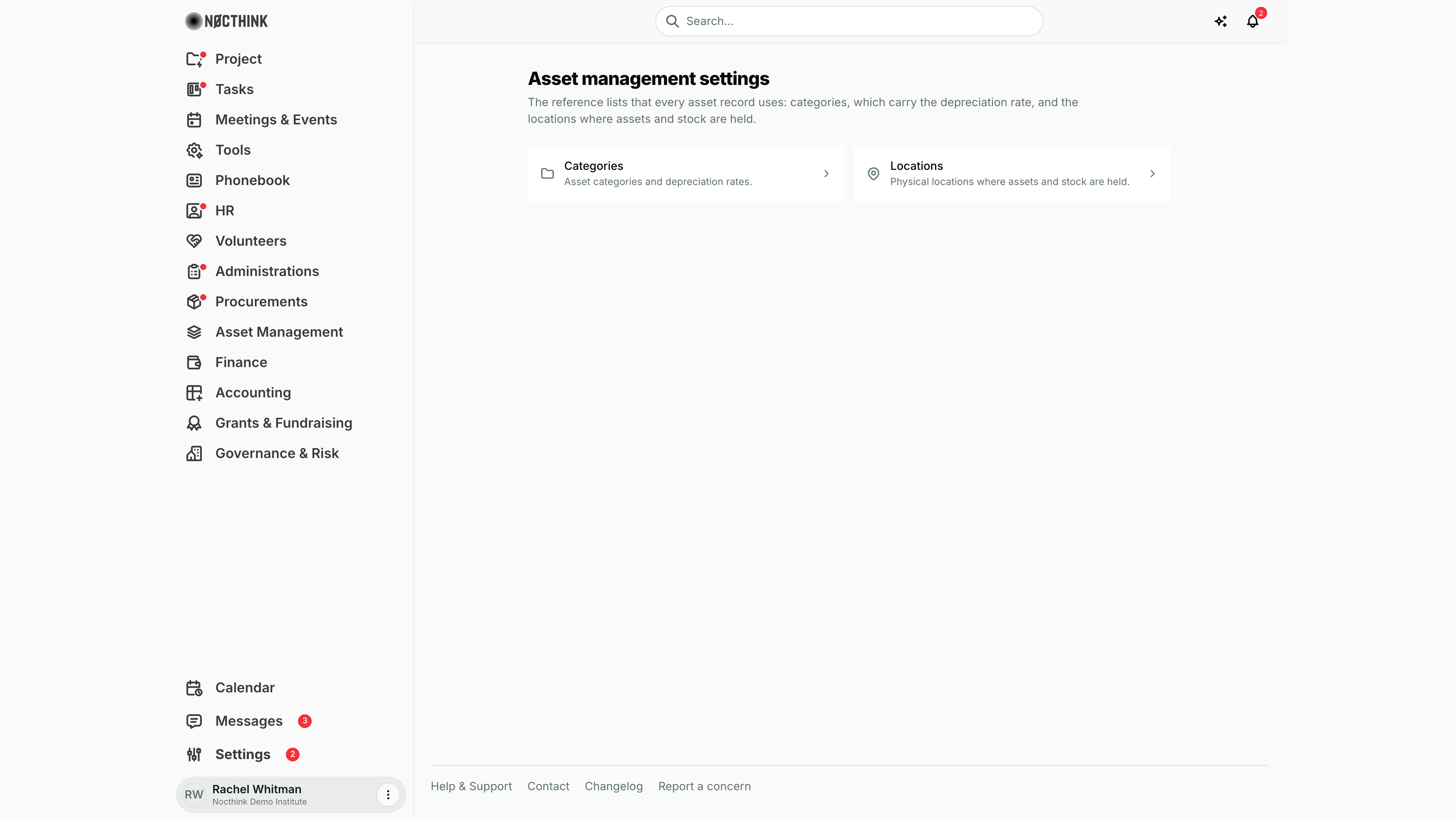
Screenshot: Rachel Whitman (Executive Director, org owner), Nocthink Demo Institute demo data. As Asset Officer I see the same page.
Why I use this page
I use this page to keep the two reference lists every asset record depends on: categories (which carry the depreciation rate Finance uses) and locations (the offices, floors and warehouses where assets and stock sit). I add a category before registering a new kind of asset, adjust depreciation rates when Finance changes policy, and add a location when we open a new office or storage room.
What's on the screen
- Header — Asset management settings: "The reference lists that every asset record uses: categories, which carry the depreciation rate, and the locations where assets and stock are held."
- Two cards — Categories ("Asset categories and depreciation rates.") and Locations ("Physical locations where assets and stock are held."). Each opens its own page.
- Asset categories page — a + (New category) button, a count line ("N categories covering N assets"), Search categories..., and a table: Name (opens the category), Description, Assets (count, links to the asset list), Breakdown (available / assigned / maintenance / retired), Total value, Depreciation, plus a row menu with Edit and Delete. Selecting rows offers Delete (n).
- Asset locations page — + (New location), Search locations..., and a table: Name, Address, Contact person, Contact phone, row menu Edit / Delete, bulk Delete (n).
How I …
Add an asset category
- Click Categories (see Asset categories below), then +.
- Enter Name (required, e.g. "Electronics") and an optional Description.
- Enter Depreciation rate (%) (e.g. 20).
- Save. The category now appears in the category picker when registering assets.
Change a depreciation rate
- On Asset categories, open the row menu → Edit (Edit category).
- Change Depreciation rate (%) and save.
- Tell Finance; the new rate applies to the assets in that category.
Add a location
- Click Locations (see Asset locations below), then + (New location).
- Enter Name (required, e.g. "Jakarta Office", "Warehouse A"), Address, Contact person and Contact phone.
- Save. The location is available for assets, rooms and stock movements.
Remove a category or location
- Open the row menu → Delete and confirm the browser prompt, or select rows and click Delete (n).
- A location that still has rooms or stock movements is refused with a message such as "“Warehouse A” still has 2 room(s) and 5 stock movement(s). Move them first."
Detail page, forms & dialogs
Asset categories
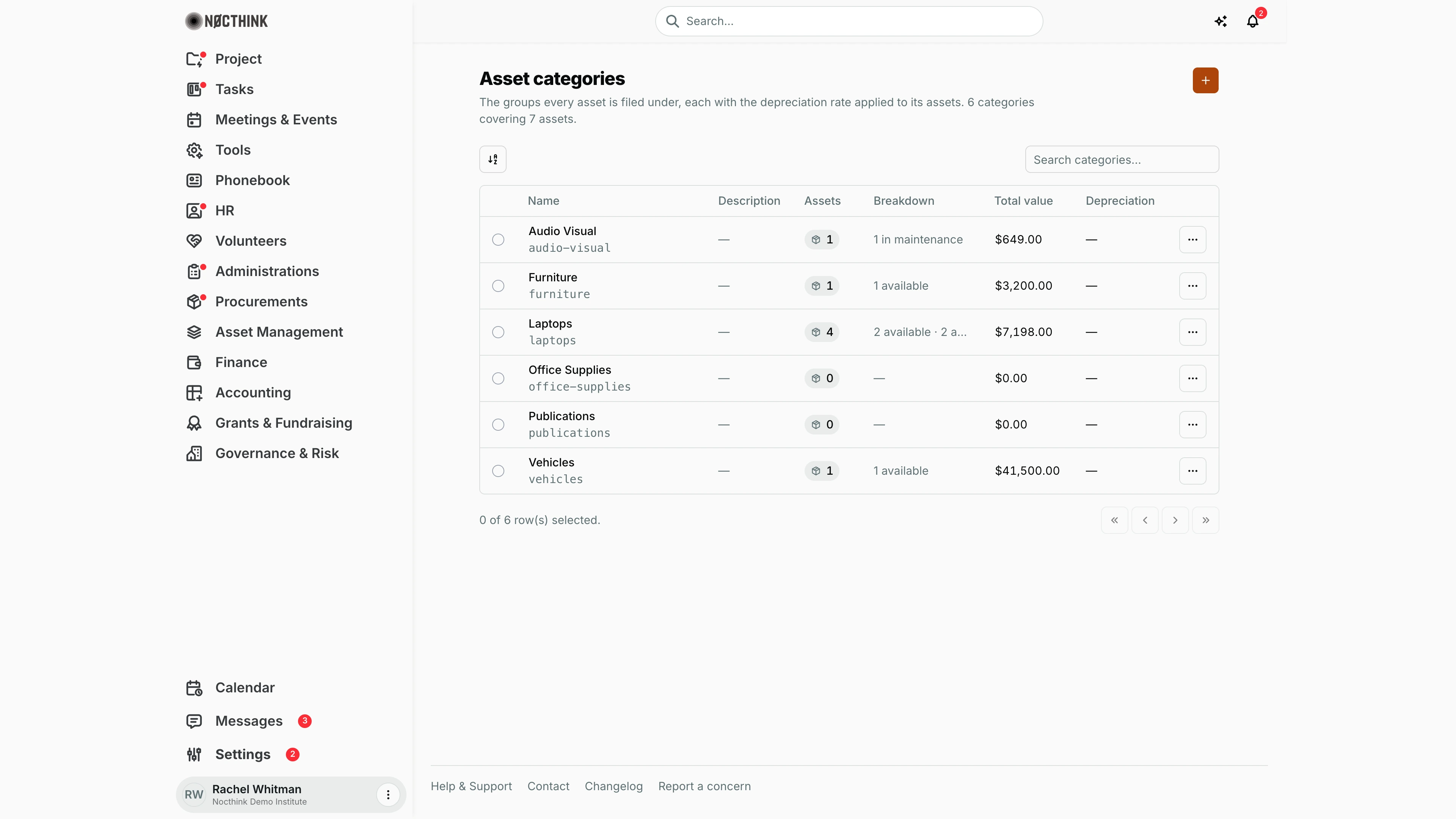
Screenshot: Rachel Whitman (Executive Director, organization owner), Nocthink Demo Institute demo data.
Categories on the settings page opens Asset categories. A count line says how many categories cover how many assets, and the table lists Name, Description, Assets (a link to the asset list filtered to that category), Breakdown (available / assigned / maintenance / retired), Total value and Depreciation. Each row's ⋯ menu (Actions for <name>) has Edit and Delete; Delete asks "Delete "…"?". The + (New category) opens a quick dialog with Name, Description and Depreciation rate (%) (placeholder "e.g. 20", 0–100). Clicking a name opens the category's page (below).
Asset category detail
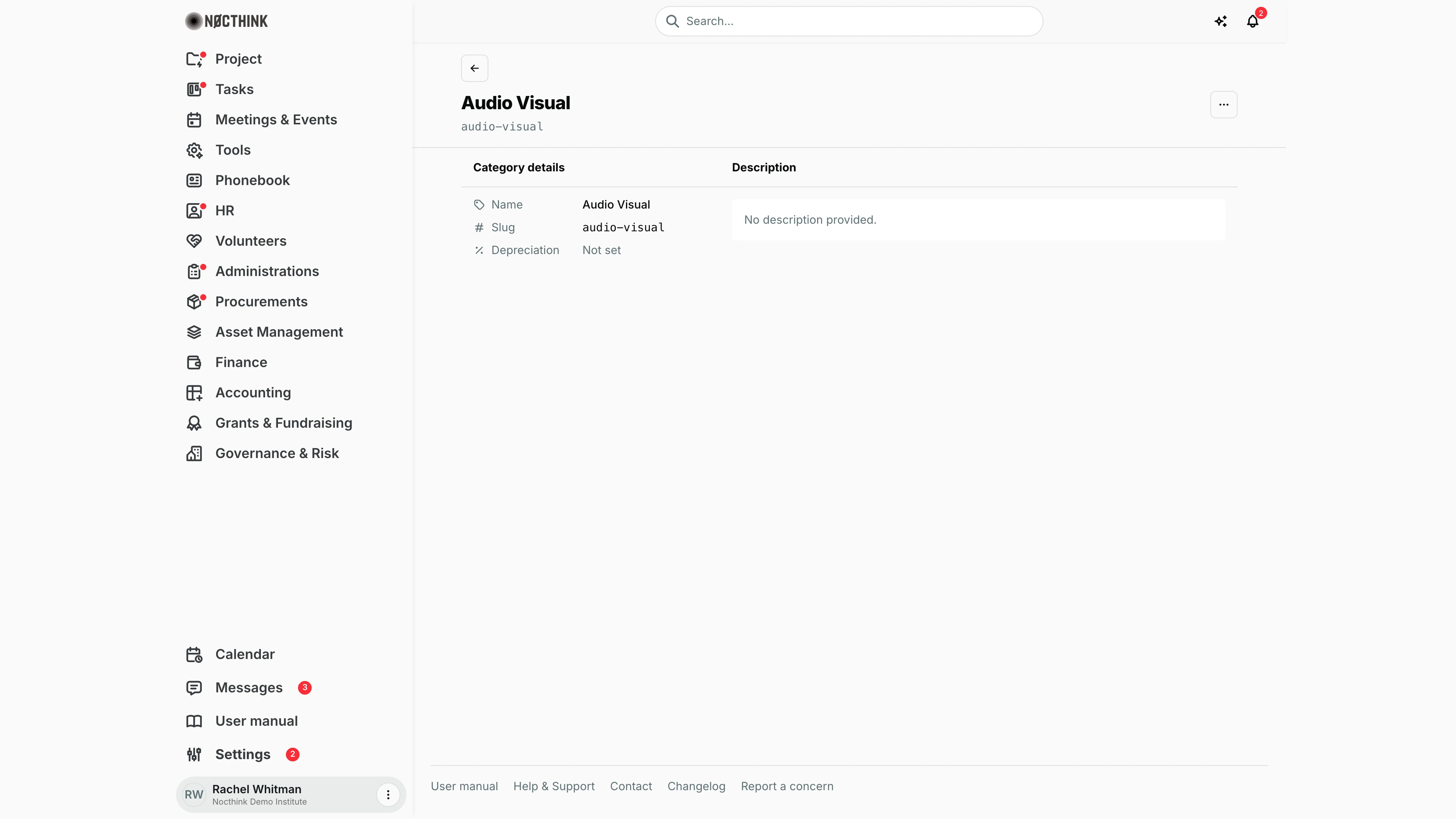
Screenshot: Rachel Whitman (Executive Director, organization owner), Nocthink Demo Institute demo data.
The category page has the back link Asset categories, the category name and a More actions menu with Edit (which opens the full edit page) and Delete ("Are you sure you want to delete this category?"). Category details shows Name, Slug, and Depreciation (the yearly rate, or "Not set"). Description shows the note, or "No description provided." I check the rate here before Finance runs depreciation, since it applies to every asset filed under the category. The page has no asset list of its own; the Assets link on the categories table shows the assets in the category.
New asset category
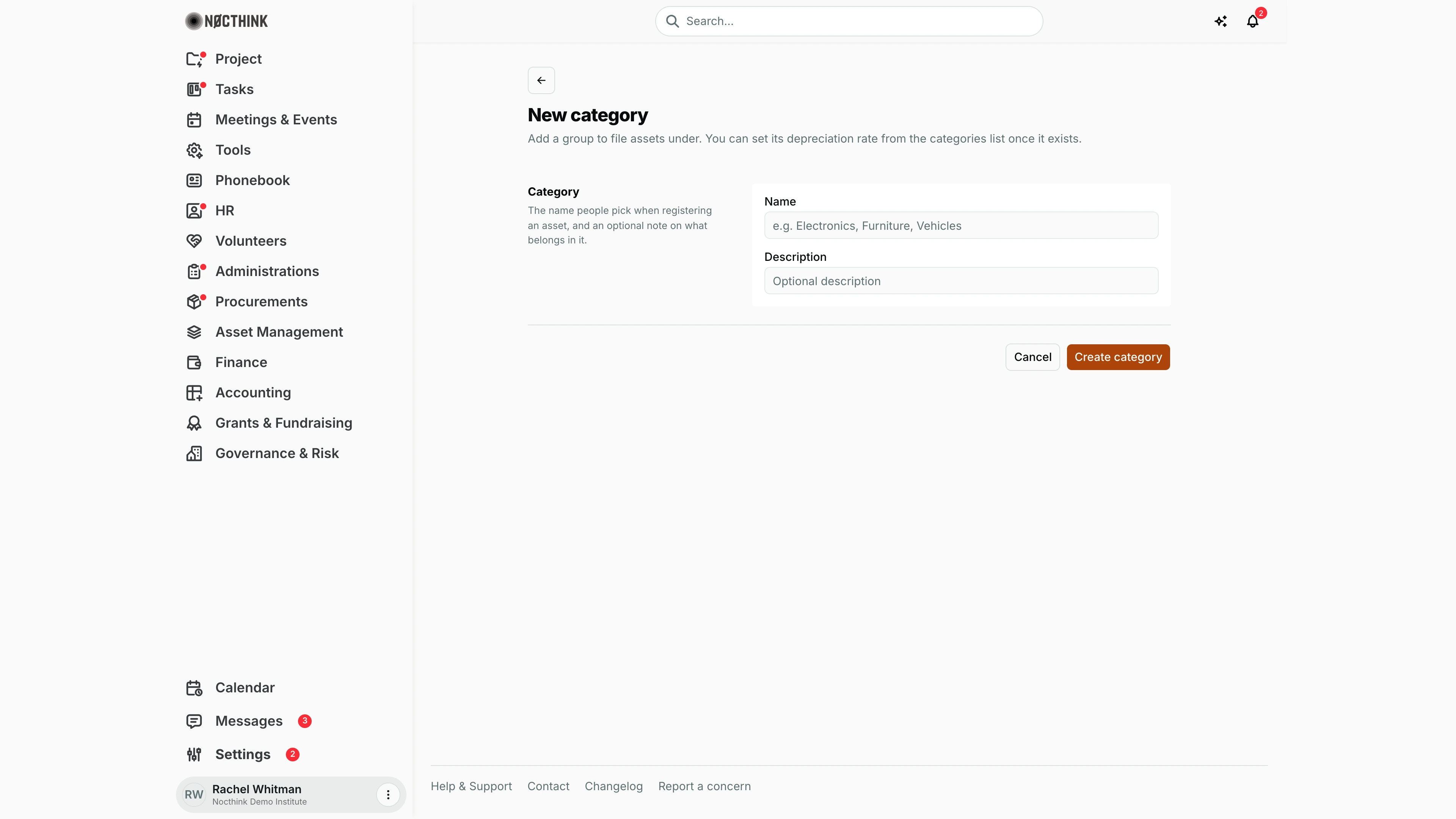
Screenshot: Rachel Whitman (Executive Director, organization owner), Nocthink Demo Institute demo data.
The New category page ("Add a group to file assets under. You can set its depreciation rate from the categories list once it exists.") has one block, Category: "The name people pick when registering an asset, and an optional note on what belongs in it." I fill Name (placeholder "e.g. Electronics, Furniture, Vehicles") and, optionally, Description, then click Create category; Cancel goes back. This page has no rate field. To set the rate, I use Edit on the categories list, or the + dialog there, which asks for it at once.
Asset locations
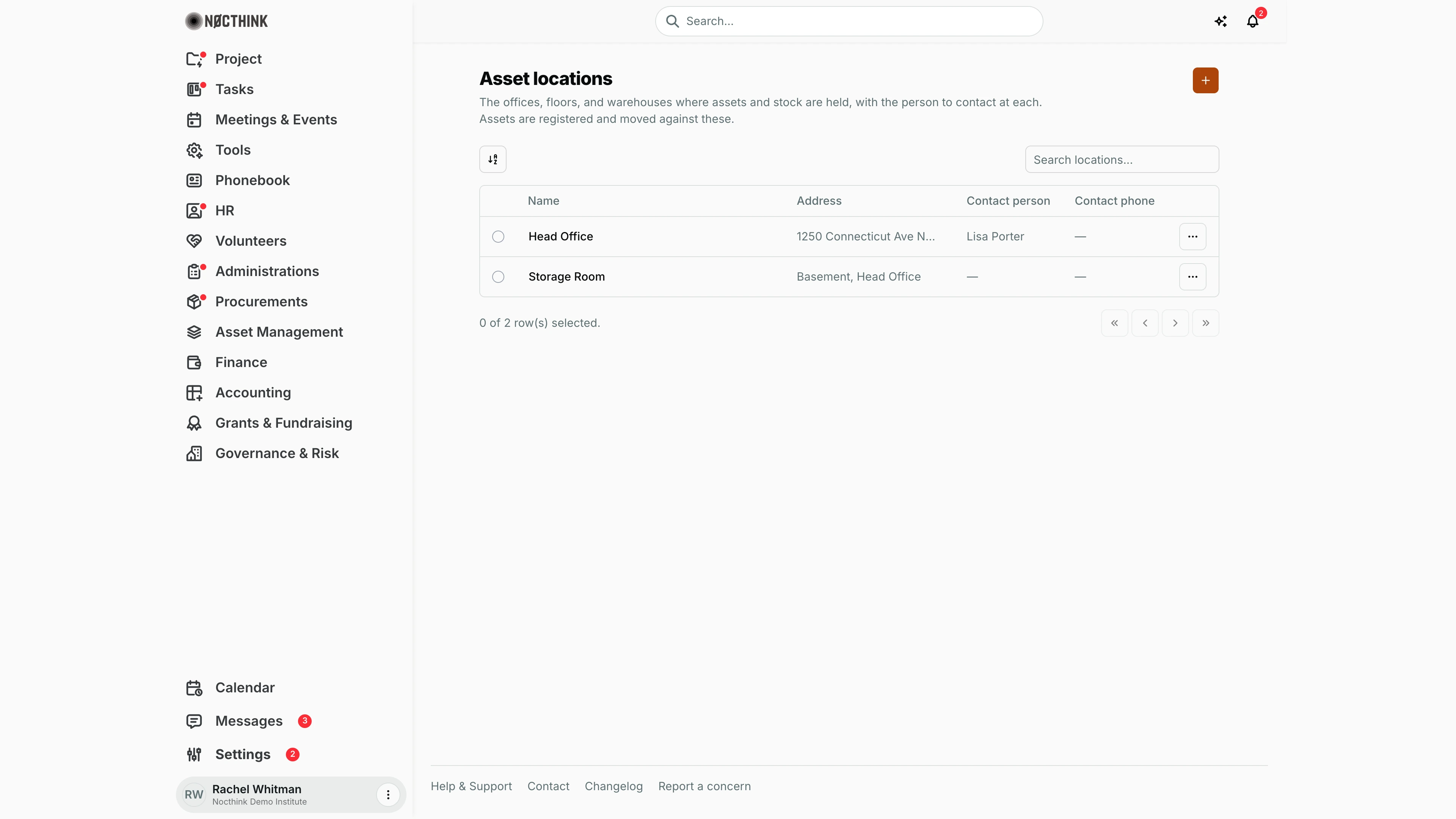
Screenshot: Rachel Whitman (Executive Director, organization owner), Nocthink Demo Institute demo data.
Locations opens Asset locations: the places where assets and stock are held. The table lists Name, Address, Contact person and Contact phone; the demo has Head Office and Storage Room. Each row's ⋯ menu has Edit (an Edit location dialog with the same fields) and Delete ("Are you sure you want to delete "…"?"). A location that still has rooms or stock movements is refused until they are moved. The + (New location) opens a quick dialog with Name, Address, Contact person and Contact phone.
Asset location detail
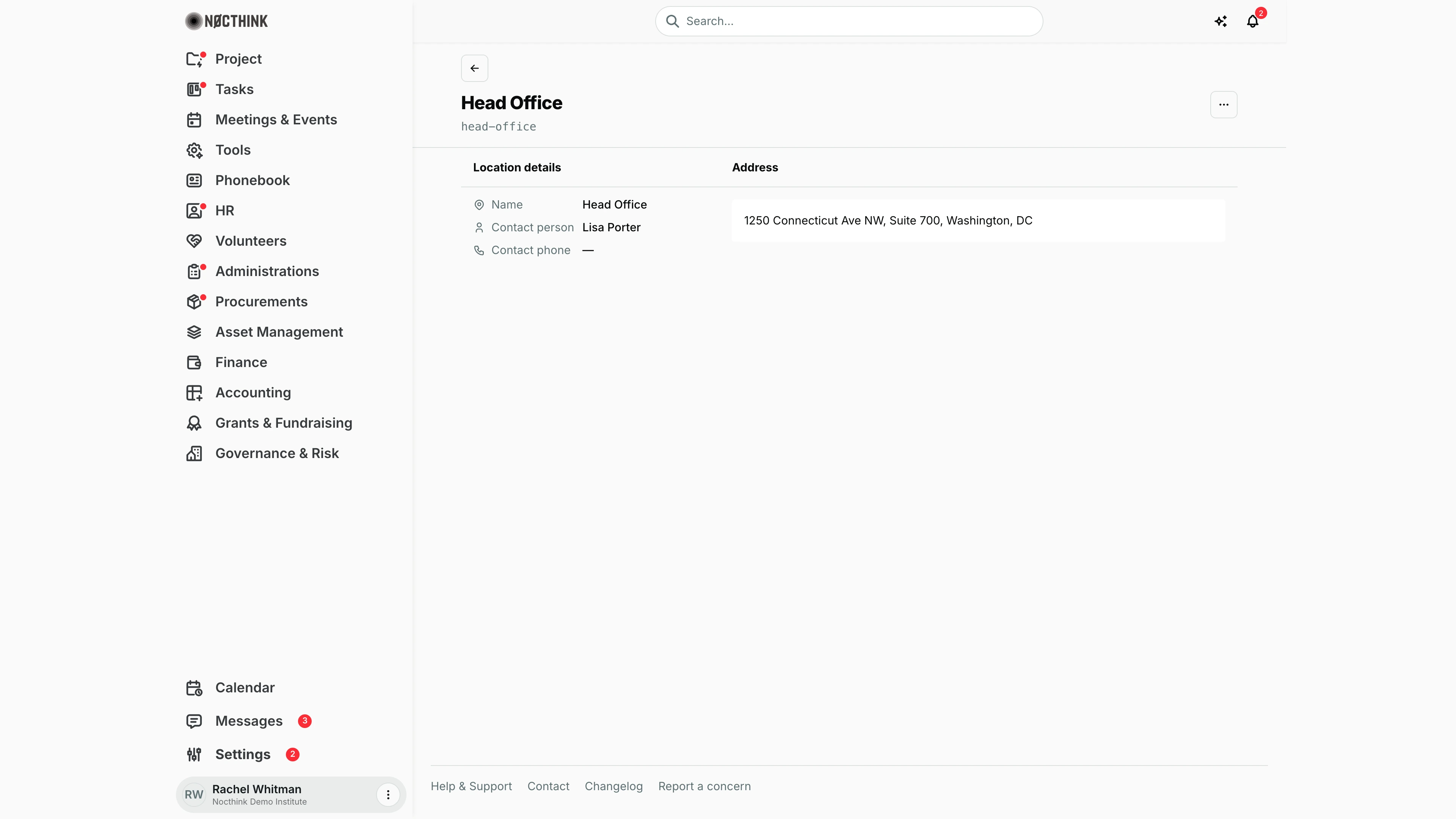
Screenshot: Rachel Whitman (Executive Director, organization owner), Nocthink Demo Institute demo data.
Clicking a location's name opens its page: the back link Asset locations, the name and a More actions menu with Edit and Delete ("Are you sure you want to delete this location?"). Location details shows Name, Contact person and Contact phone ("—" when blank), and Address shows the street address, or "No address recorded." I check here who to call about the assets held at a site before an audit or a move. The assets themselves are managed in Asset Management › Asset List.
New asset location
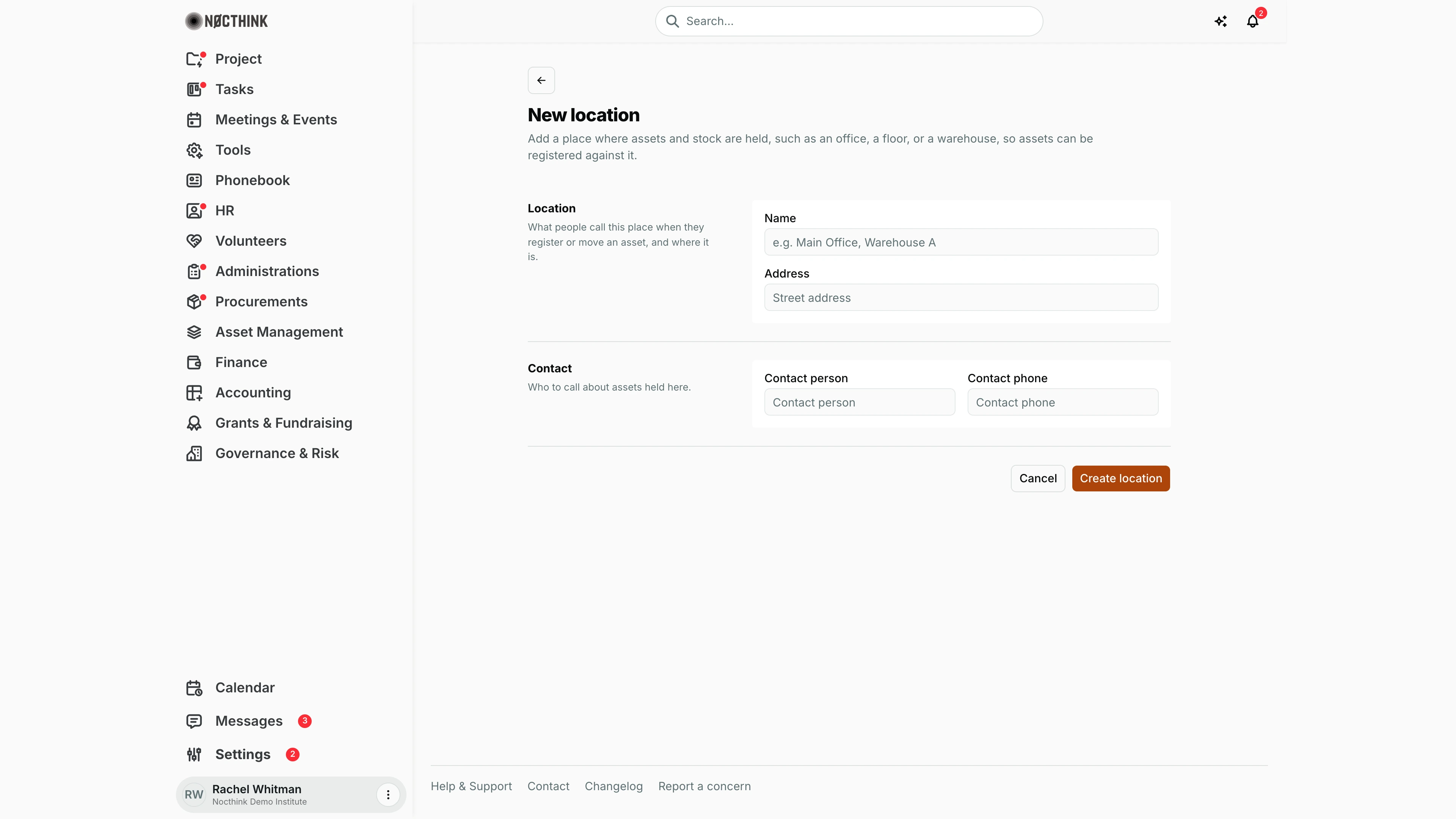
Screenshot: Rachel Whitman (Executive Director, organization owner), Nocthink Demo Institute demo data.
The New location page: "Add a place where assets and stock are held, such as an office, a floor, or a warehouse, so assets can be registered against it." Location ("What people call this place when they register or move an asset, and where it is.") takes Name (placeholder "e.g. Main Office, Warehouse A") and Address. Contact ("Who to call about assets held here.") takes Contact person and Contact phone. Create location saves it and it becomes available for assets, rooms and stock movements; Cancel goes back.
Access & permissions
- The route requires
asset_management.delete— Asset Officer and Owner/Director. - Reading and changing categories and locations is checked on the server against the Asset Management permissions for each action (view, create, update, delete).
Caveats
- Category names must be unique ("An asset category with this name or slug already exists."); location slugs must be unique too. The slug is generated from the name.
- Depreciation rate allows up to 5 digits with 2 decimals.
- Deletes are permanent and only confirmed by a simple browser prompt.
- Deleting a category that assets still use can break their grouping; reassign assets first.
- Total value and Breakdown are computed from the current asset list on screen.
Limitations
- Only categories and locations live here; asset statuses, custodians and maintenance schedules are not configurable.
- No import or export of the lists.
- No change history for depreciation rates.
Related menus
- Asset List — every asset picks a category and location from these lists.
- Rooms — rooms belong to a location.
- Consumables — stock movements reference locations.
- Audit — depreciation and asset value review.