
Procurements
Open in NocthinkModule: Settings › Apps · URL: /settings/procurements · Responsible role: Procurement Officer (procurement) · Also used by: Finance Manager and F.A.T Manager (full, via finance.approve), Owner/Director (full)
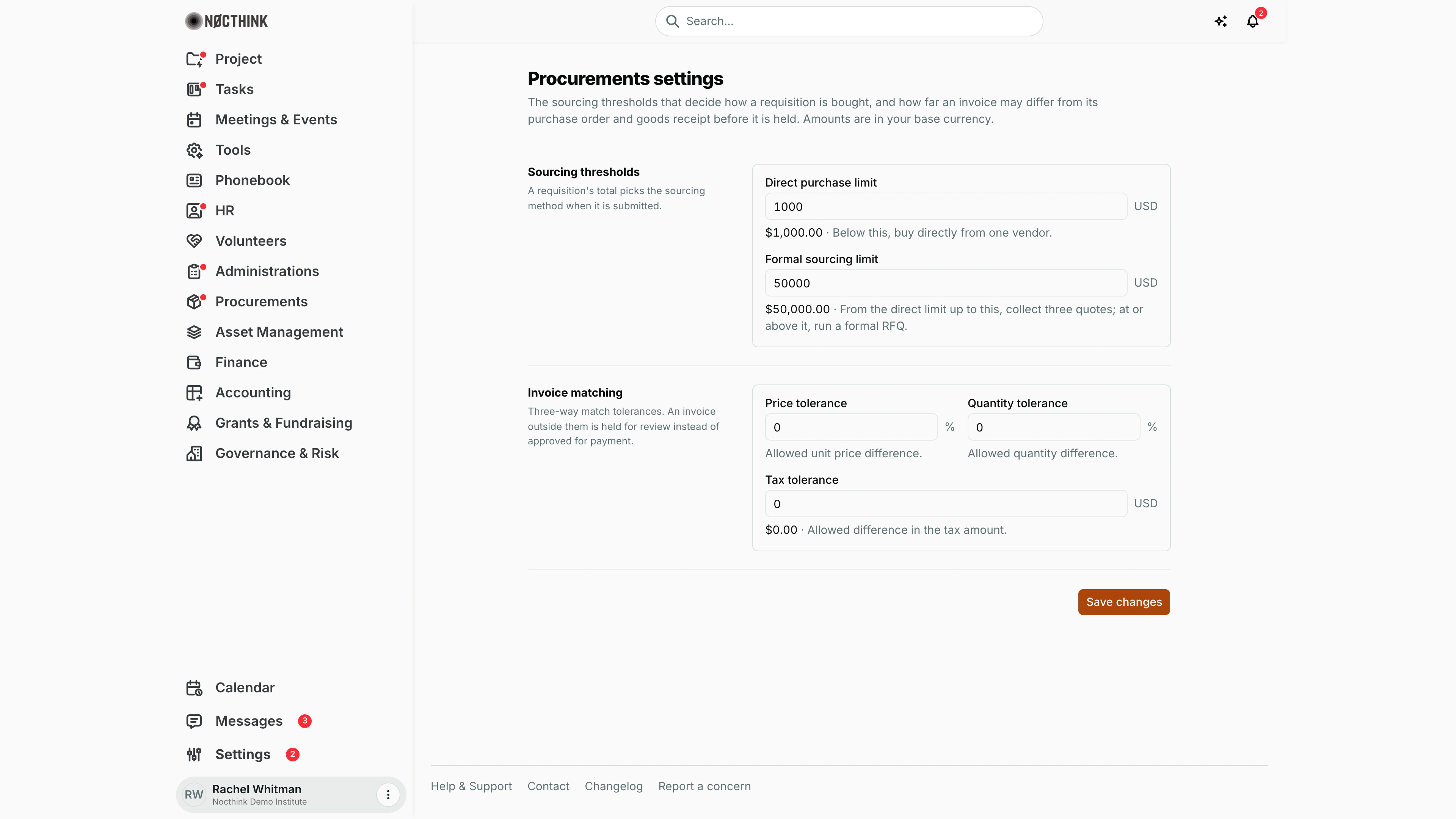
Screenshot: Rachel Whitman (Executive Director, org owner), Nocthink Demo Institute demo data. As Procurement Officer I see the same page.
Why I use this page
I use this page to set the two policy numbers that decide how every approved requisition is bought, and how strict the three-way match between purchase order, goods receipt and invoice is. I agree these values with Finance at the start of the year or when our procurement policy (or a donor's) changes, and I check them whenever a requisition gets an unexpected sourcing method or an invoice is held as mismatched.
What's on the screen
- Header — Procurements settings: "…Amounts are in your base currency."
- Sourcing thresholds — Direct purchase limit ("Below this, buy directly from one vendor.") and Formal sourcing limit ("From the direct limit up to this, collect three quotes; at or above it, run a formal RFQ.").
- Invoice matching — Price tolerance (%), Quantity tolerance (%) and Tax tolerance (amount).
- Money fields show the base currency code beside the box and the formatted amount under it (e.g.
USDand "$1,000.00 · Below this, buy directly from one vendor."); whole amounts and percentages are shown without trailing zeros (1000,0). - Save changes button, with Saved or the server error.
How I …
Change the sourcing thresholds
- Open Settings › Apps › Procurements.
- Enter the new Direct purchase limit (e.g.
5000.00in a U.S. organization). - Enter the Formal sourcing limit; it must be at least the direct limit.
- Click Save changes.
- From now on, when a requisition is submitted its total picks the method: below the direct limit → direct purchase; from the direct limit up to (not including) the formal limit → three quotes; at or above → formal RFQ.
Allow small invoice differences
- Under Invoice matching, enter Price tolerance (e.g.
2for 2% unit-price difference) and Quantity tolerance (e.g.5for 5% over the received quantity). - Enter Tax tolerance as an amount in base currency (e.g.
100.00). - Click Save changes. Invoices within these limits match; anything outside is held as mismatched for review.
Access & permissions
- The route requires
procurements.updateorfinance.approve— Procurement, Finance Manager, F.A.T Manager and Owner/Director (docs/role.md §4.5). - Anyone with
procurements.viewcan read the policy through the API; saving needsprocurements.updateorfinance.approve.
Caveats
- Values are in the organization's base currency; requisition totals in other currencies are compared after conversion.
- Default thresholds depend on the base currency: 1,000,000 / 50,000,000 for a rupiah organization, 1,000 / 50,000 for any other (e.g. USD). A non-rupiah organization that never changed the rupiah defaults uses the scaled ones, and this page shows them with a note "These are the suggested defaults for USD; save to keep them."; saving stores them.
- No negative values; percentages cannot exceed 100. Formal sourcing limit below the direct limit is rejected with "Must be at least the direct purchase limit."
- Thresholds are applied when a requisition is submitted; already-submitted requisitions keep their method.
- Requisitions on three quotes or formal RFQ cannot proceed until the minimum number of quotes (3 by default) is recorded — this minimum is not editable here.
- With all tolerances at 0 (the default), any difference in price, quantity or tax holds the invoice.
- Changes apply to the next match calculation, so an invoice may change from mismatched to matched (or back) after I save.
Limitations
- The minimum number of quotes, approval chains and per-category or per-project thresholds are not configurable here. The approval bands are fixed per currency (see Approvals).
- No history of who changed the policy on this page (check Logs).
Related menus
- Requisitions — the sourcing method is set from these thresholds on submission.
- RFQ / RFP — used for requisitions at or above the formal limit.
- Invoices — three-way match uses these tolerances.
- Goods Receipts — received quantities feed the match.
- Finance Settings — base currency and finance master data.