
Tasks
Open in NocthinkModule: Settings › Apps · URL: /settings/tasks · Responsible role: Owner (organization admin) · Also used by: anyone holding tasks.update can open and save it; ordinary staff cannot
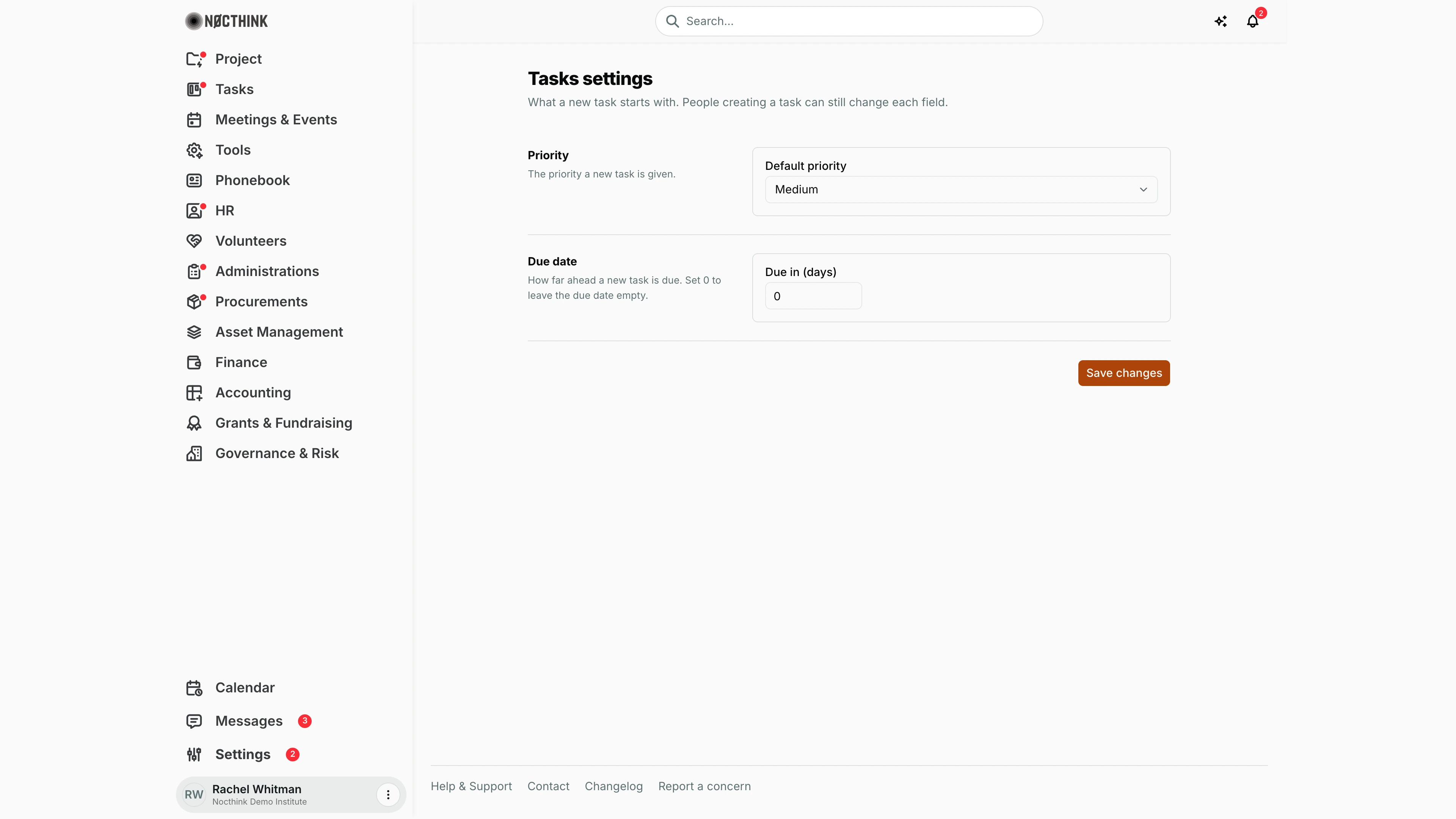
Screenshot: Rachel Whitman (Executive Director, org owner), Nocthink Demo Institute demo data.
Why I use this page
As Owner I use this page to set the priority and due date a new task starts with, so tasks created in a hurry still land with sensible values. I set it once and change it only if teams complain that everything starts as Medium or that tasks get created with no deadline.
What's on the screen
- Header — Tasks settings: "What a new task starts with. People creating a task can still change each field."
- Priority row — Default priority drop-down: Low, Medium, High, Urgent.
- Due date row — Due in (days) number field, "How far ahead a new task is due. Set 0 to leave the due date empty."
- Save changes button, with a Saved tick on success or the server error on failure.
How I …
Change the default priority
- Open Settings › Apps › Tasks.
- Pick a value in Default priority.
- Click Save changes.
Give new tasks a default deadline
- In Due in (days), enter the number of days from today (for example 7 for one week).
- Click Save changes.
- Open Tasks › Task List and start a new task: the due date is pre-filled as today plus that many days.
- To go back to no default deadline, set 0 and save.
Access & permissions
- The route requires
tasks.update. docs/role.md §4.5 assigns Settings › Apps › Tasks to the Owner only; the staff baseline role has onlytasks.view, so most people never see it. - Every member can read these values (they are form defaults); only
tasks.updateholders can save.
Caveats
- Due in (days) accepts whole numbers from 0 to 365; the field clamps anything outside that range.
- The due date is counted from the day the task form is opened, in the browser's local date.
- Defaults only affect new tasks created through the task form; existing tasks are unchanged.
- Leaving without saving discards changes.
Limitations
- No defaults for assignee, project, status or reminders.
- No per-project or per-team defaults; one setting for the whole organization.
Related menus
- Task List — the new task form uses these defaults.
- Delegate — delegated tasks are created through the same form.
- Tasks Dashboard — priority and due dates drive what shows as urgent or overdue.